What Tasks Can AI Do? Ten Verbs That Cover Most Desk Work
With Josh Schultz ·
Answer. What tasks can AI do? Most of them fit a short list of verbs (model tasks, which are the basic jobs it does on text): read, write, classify, extract, summarize, transform, plan, judge, decide, and ask for a tool. When you name the verb in your ask, the answer gets sharper.
The picture
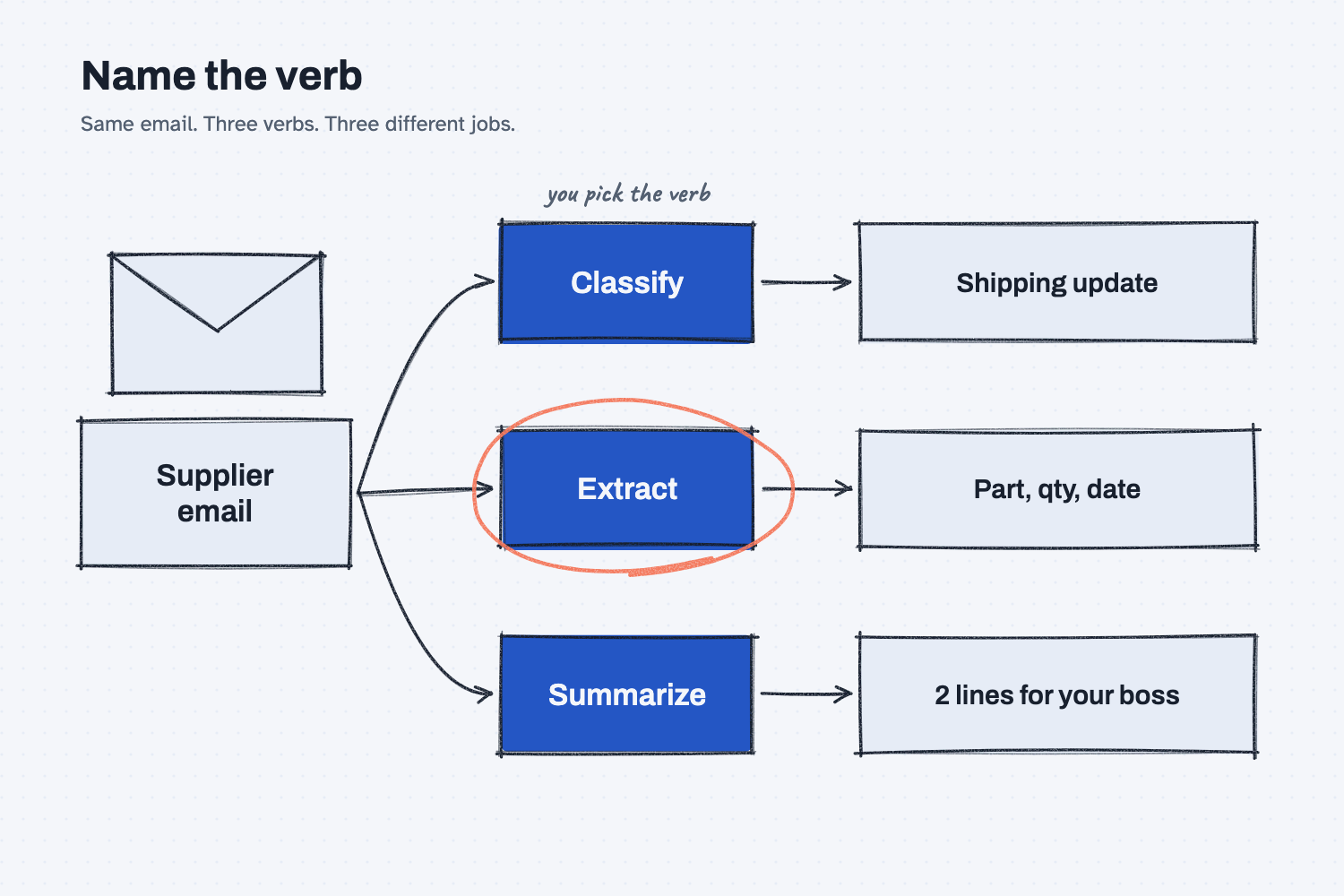
The same supplier email sits on the left, and three arrows lead from it to three different verbs. Classify gives you a label, extract gives you the part, quantity, and date, and summarize gives you two lines for your boss. The email never changed, only the verb did, and that is the whole idea.
Think of it like this
Picture the window at the tool crib. You walk up and say, "I need something for this bolt," and the attendant has to guess. You might get a wrench, a socket set, or a question back.
Now suppose you say, "9/16 socket, half-inch drive." You get exactly that, and you get it in ten seconds.
AI works the same way. "Help me with this email" is like asking for something for this bolt, while "Extract the part numbers and dates into a table" is the 9/16 socket.
The crib holds only so many tools, and AI does only so many jobs. In my notes I put it this way: "A language model is a very well-read worker who can do a short list of verbs on text, images, and audio." Once you learn that short list, you can ask for the right tool every time.
Why does it matter at work?
When you don't name the verb, AI picks one for you, and it often picks "write" because writing is what it does most.
Here is how that plays out. Dana Ortiz, a senior buyer at Mesquite Ridge Metal Works, gets an email from Bolt Barn Industrial saying the bolts on PO 40211 are short and they want to split the shipment. She pastes it in and types, "Help me with this email."
The AI rewrites the supplier's email into something polished and polite, which is no use to her. She did not need a nicer copy of their note, because what she needed was the dates for her ERP system. When I tried this exact email, the vague ask got the same result and the email came back rewritten.
So she asks again: "Extract every part number, quantity, and ship date into a table." This time she gets rows she can check against the PO. It is the same email with a different verb, and now it is a job she can finish.
How does it work?
The ten verbs fall into three groups, and you will use the first group almost every day.
The desk verbs: read, write, classify, extract, summarize, transform. These work on whatever you hand the AI. Classify puts a thing in a bucket, like sorting mail into piles. Extract "pulls facts out of messy text into clean fields." Summarize gives you the one-page brief, and transform changes the form, such as a table to an email, English to Spanish, or stiff to friendly.
The thinking verbs: plan, judge, decide. Plan breaks a goal into steps. Judge grades work against a checklist, the way an inspector would. Decide picks one path from a few, the way a traffic cop picks which line of cars goes next.
The reaching verb: ask for a tool. This is the AI saying, "I need someone to go get the file." In a plain chat, nothing happens after that, but in an agent the computer goes and does it. The lesson on chat vs. agent covers that difference.
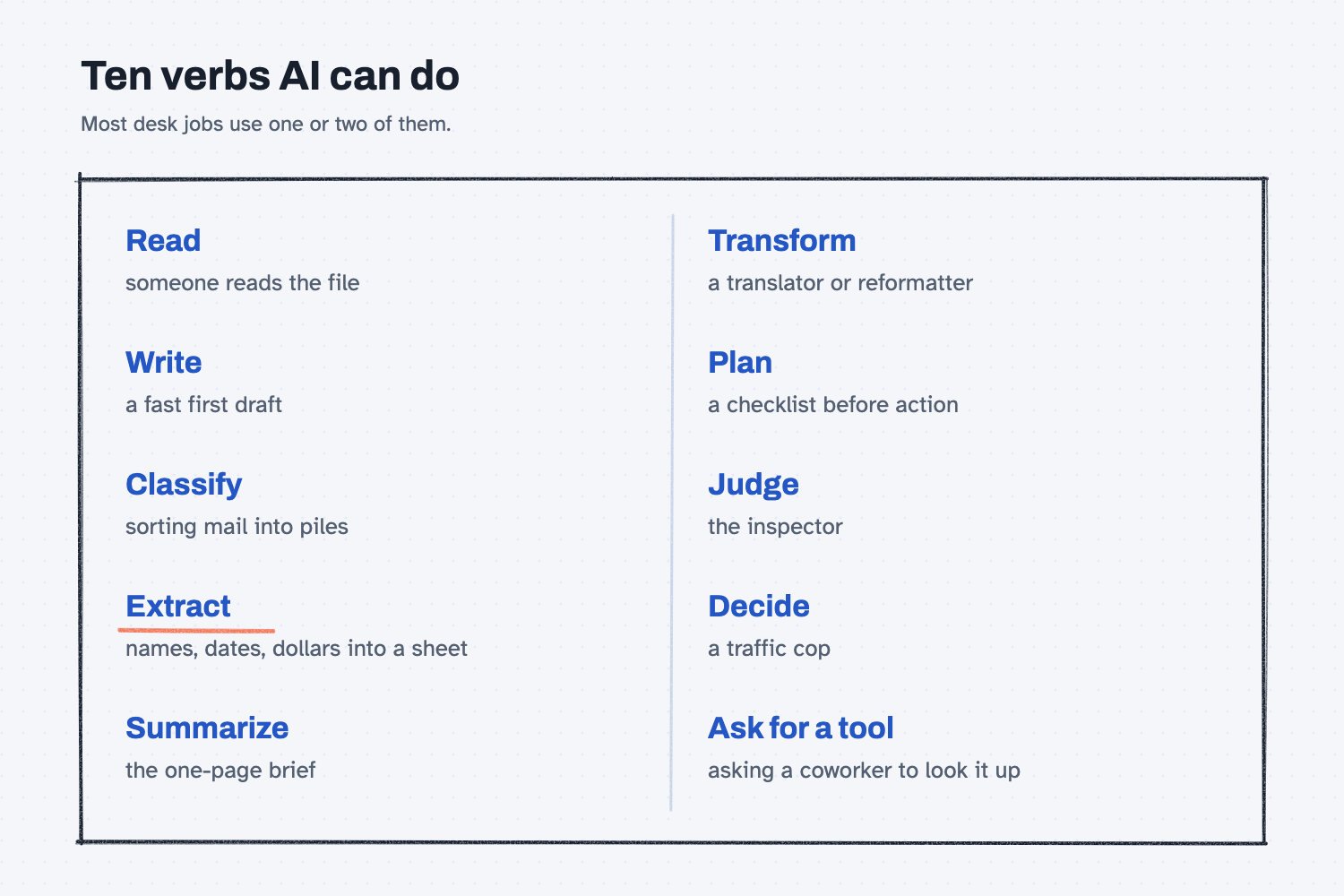
Bigger jobs are simply a few verbs in a row. You might read the meeting notes, extract the action items, and then classify each one by owner. In my notes I wrote that "every impressive AI outcome is three to five verbs" joined together, and for a desk job it is usually only two or three.
Where do people get it wrong?
Most mistakes come from leaving the verb out or picking the wrong one. These are four to watch for.
- No verb at all. "Help me with this" makes the AI guess, and it usually guesses "write."
- Write when you meant extract. "Write up the dates" invites the AI to reword things, while "Extract the dates" tells it to copy the facts instead of making new text.
- Trusting extract blindly. Extract can fill a gap with a made-up number. In my test, the email said the nuts "ship complete" but never gave a count, and this time the AI wrote "Not stated" and told me to check the PO. Don't count on that, and check every number against the source.
- Asking for a verb it does poorly. Math and forecasts are not on the list. Ask it for the Excel formula instead, and let Excel do the math.
Try this in 2 minutes
You will run one email through four different asks. You can use any chat tool, and you should open a new chat for each ask.
- Copy this fake supplier email:
Hi Dana, sorry for the delay on PO 40211. The 1/2-13 hex bolts (MR-2001) are short. We can ship 600 of the 1,000 on Friday 3/6 and the rest on 3/13. The nuts (MR-2002) ship complete on 3/6. Price stays the same. Let me know if a split shipment works. Thanks, Marcy at Bolt Barn Industrial
- Paste it under each of these asks, one chat at a time:
Help me with this email.
Classify this email. Is it a quote, a complaint, an order change, or a shipping update? Answer in one or two words.
Extract every part number, quantity, and ship date into a table.
Summarize this email in 2 lines for my boss.
- Look at the extract table and find the nut quantity. Then look for that number in the email.
When I tried this, "Help me with this email" got the supplier's email rewritten, and the reply started, "Here's a tightened version." That is not what Dana needs.
Classify answered in two words: "Shipping update."
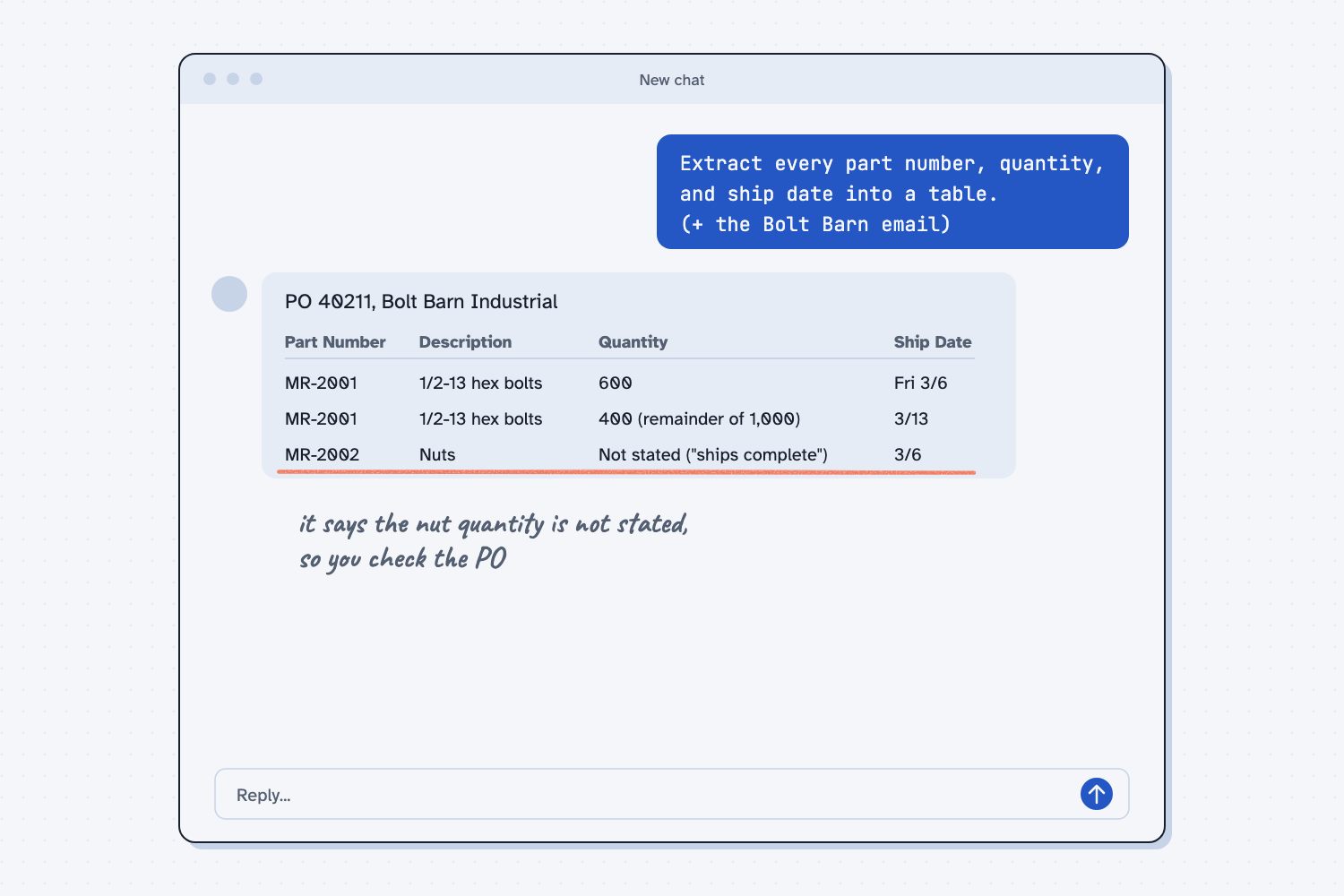
Extract gave a clean table, and here is the nut row:
| MR-2002 | Nuts | Not stated ("ships complete") | 3/6 |
It also added this note: "The email doesn't give the nut quantity. It only says the order ships complete, so you'd need to check the PO for the number."
That is a good catch, because the AI could have made up a number and did not. Don't count on that every time. Ask it to mark anything the email doesn't say, and check the facts yourself.
Summarize gave two good lines: "Bolt Barn Industrial says PO 40211 will ship split: 600 of the 1,000 hex bolts (MR-2001) on Fri 3/6 and the remaining 400 on 3/13, due to a shortage."
Each time, the verb you chose changed the job the AI did.
Frequently asked questions
Do I have to use these exact words?
No. The words are a guide, not a password. "Pull out," "sort," and "boil down" work fine. What matters is that you name the job, not just "help."
Can I ask for two verbs at once?
Yes, if you say the order. "Extract the dates, then summarize in 2 lines" works. Mixing two jobs into one long sentence makes it guess which comes first.
Why isn't "do math" on the list?
Because it's a weak spot. AI writes one likely word at a time, so it can slip on numbers. Ask it to write the formula, then let Excel do the math.
Which verb should I learn first?
Extract. Most office work is pulling facts out of emails, PDFs, and exports into rows. It saves the most typing, and the facts are easy to check.
Use it today
- Compare supplier quotes the same way every time: Claude extracts the quote data, then a script does the math.
From my training: the verb list comes from my field note "AI Primitives and Wiring," which breaks any AI demo down into a few basic abilities.