Save Every Working Version: Why Going Back Beats Patching a Patch
With Josh Schultz ·
Answer. To save every working version means keeping a copy of your work each time a change passes its check, with a one-line note about what changed. Each copy is a known good version, which is a version you tested and know is right. When a later change goes wrong, you go back to the last known good version instead of patching the damage.
The picture
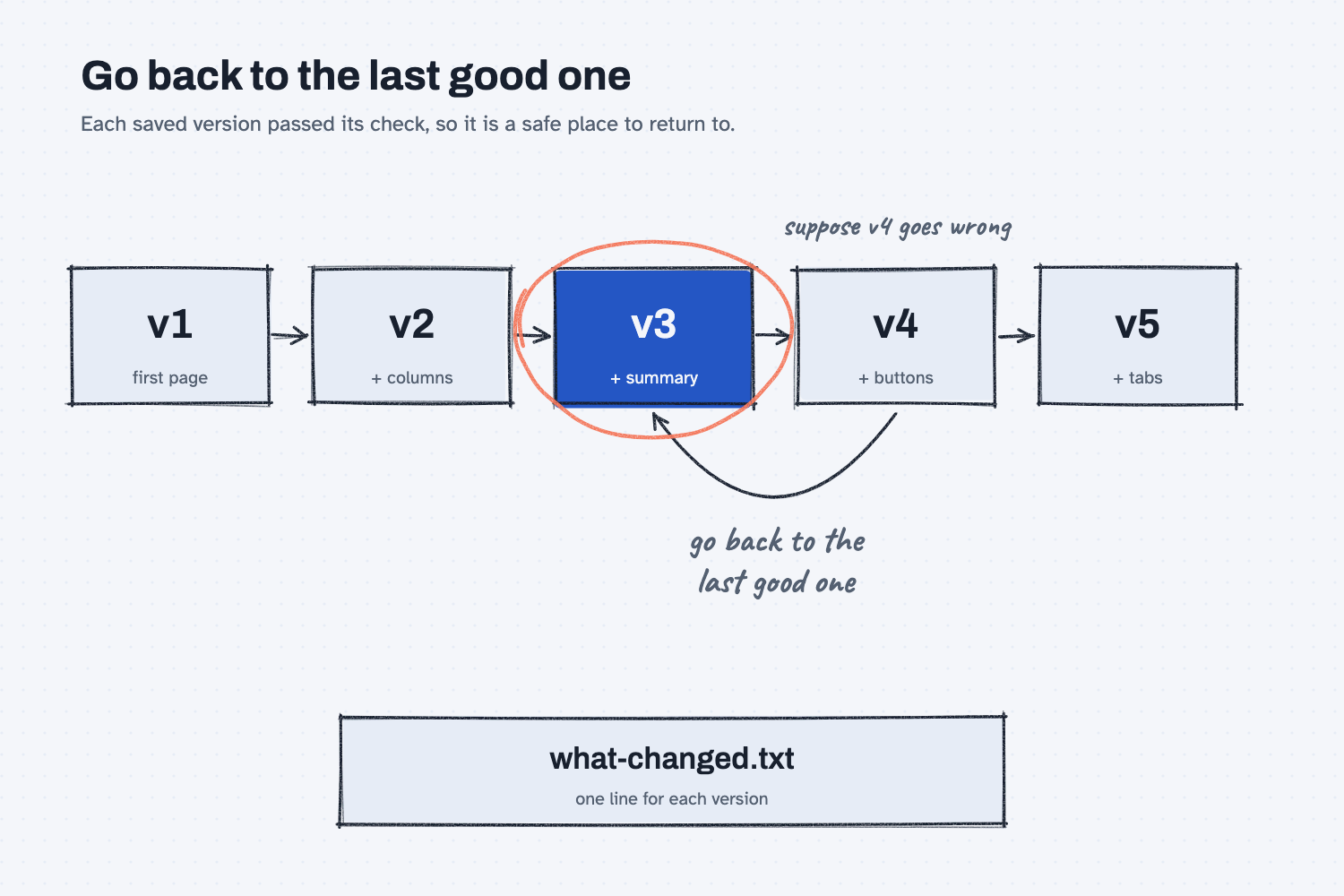
The picture shows a row of saved versions, each one with a note about what it added. In the example, the fourth version, the one that added buttons, goes wrong. Instead of trying to repair it, you follow the curved arrow back to version 3, which is circled because it is the last one that passed its check. The notes under each box are what make that quick, since you can see at a glance what each version did and which one to trust.
Think of it like this
Think about how a shop handles drawing revisions. Every change to a drawing gets a new revision letter, and the revision block lists what changed in that revision. If revision D turns out to have a wrong dimension, nobody tries to hand-correct it out on the floor. They pull revision C, which was checked and signed, and they start again from there.
That works because revision C is a known good point, and the revision block tells you exactly what was different in D. Nobody has to remember anything, and nobody has to guess.
Saving versions of AI work gives you the same safety. Every version that passes its check is a revision you can return to, and the one-line note is your revision block.
Why does it matter at work?
It matters because AI makes it very easy to patch a patch. A change breaks something, you ask AI to fix it, the fix breaks something else, and soon you are three layers deep with no clear idea what the work looked like when it was right.
Here is how it went in the quote price history report for Mesquite Ridge Metal Works. I made four changes, one at a time, and after each one passed its check I saved the script with a version number, so there were five versions, v1 through v5, and I added a line to a note called what-changed.txt. The line for version 3 reads: "Added a Latest price summary at the top. Cheapest is green, but only among suppliers quoting the same unit."
Each version was run on the sample files and checked against the answer key before it was saved. If any one of them had gone wrong, I would have gone back to the version before it. As I put it in the guide: "A saved version is a known good point. When a change goes wrong, going back one version takes a minute, while untangling a pile of patches can take an afternoon."
How does it work?
It works because each saved version is checked before you keep it, named so you can find it, and explained by one line. Going back then becomes a simple choice instead of a repair job.
Check before you save. Only a version that passed its check counts as a known good point. This pairs well with changing one thing at a time, because a version made from one change is easy to check and easy to describe.
Give every version its own name. Use a plain number, such as v1, v2, and v3, so that nothing is overwritten. If a new version replaces the old file, the good one is gone, and you have nothing to go back to.
Write one line about what changed. Keep a short note next to the versions, with one line for each. It does not need to be long. It is a small audit trail that tells you what each version did, whether any numbers moved, and which one to go back to.
Go back, do not patch. When a new version goes wrong, return to the last good one and ask again, with a clearer request. As the guide says, go back to the last one that passed instead of asking Claude to patch a patch.
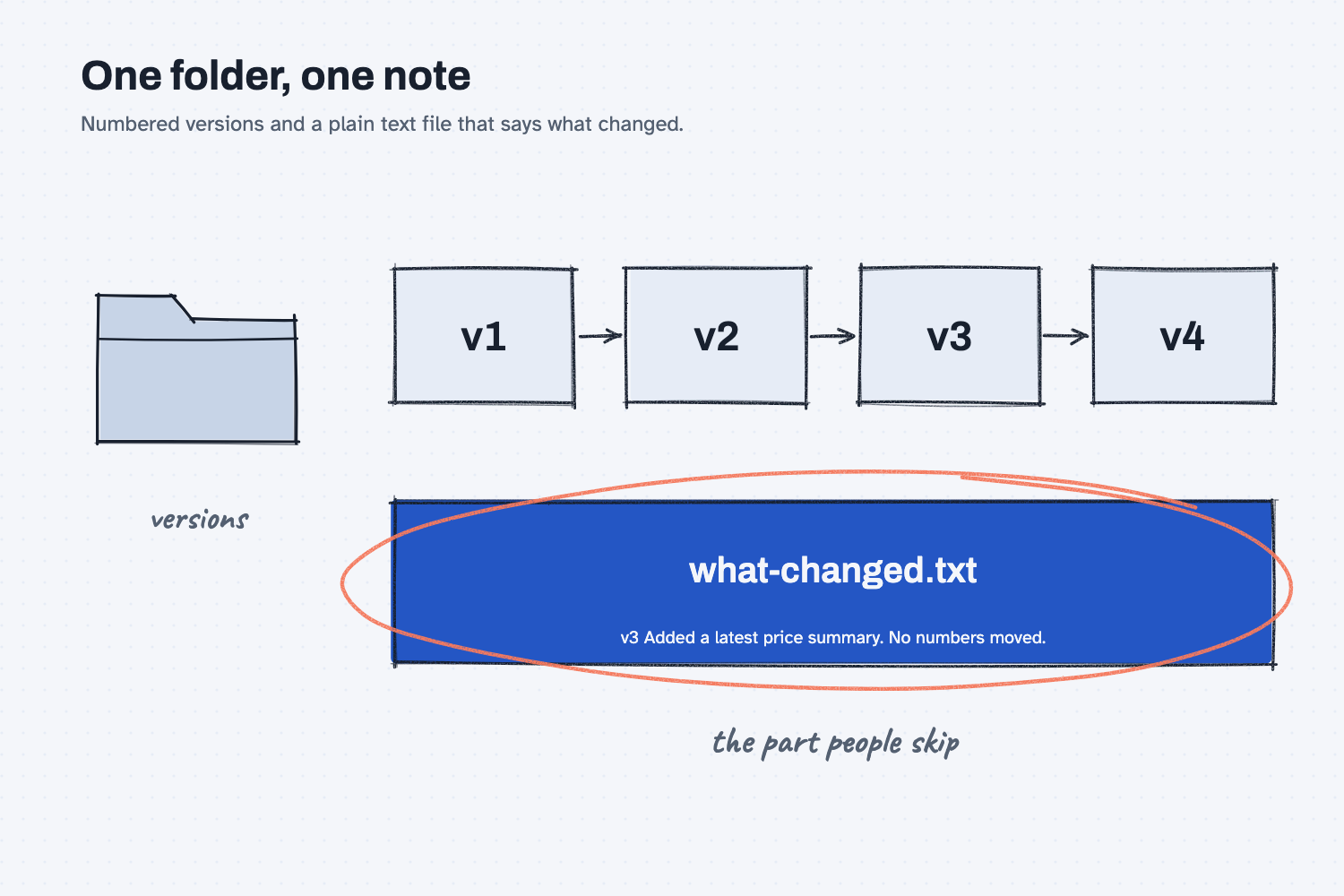
The folder in the picture is all the system you need. The versions sit in a row, and the note file sits beside them, circled because it is the part people skip and later wish they had.
Where do people get it wrong?
Most mistakes come from saving too loosely: overwriting the old file, saving before checking, or never writing down what changed.
- Saving over the old file. Every version of the report writes a page with the same name, so a new page can replace the last one in your downloads. Rename each page with its version number when you save it.
- Saving before checking. A version you never tested is only a guess, so it cannot be your safe place to return to.
- Skipping the note. Without a line about what changed, you are guessing which version was good, and you may go back too far or not far enough.
- Patching a patch. The more fixes you stack on a broken version, the harder it is to know what is wrong, so go back instead.
Try this in 2 minutes
This test shows what the notes do for you. You will give Claude three saved versions of an email, one of which is wrong, and ask for the notes and the version to go back to. You can use any chat tool.
- Open a new chat and paste this:
I keep saved versions of my quote request email. Here are three of them.

VERSION 1
Subject: RFQ 1142 - 3/4 in. A36 bar, 400 pieces
Please quote 400 pieces of 3/4 in. A36 bar, 12 ft lengths, delivered to Mesquite Ridge Metal Works. Include freight and lead time.

VERSION 2
Subject: RFQ 1142 - 3/4 in. A36 bar, 400 pieces
Please quote 400 pieces of 3/4 in. A36 bar, 12 ft lengths, delivered to Mesquite Ridge Metal Works. Include freight and lead time. We need the material on our dock by December 12.

VERSION 3
Subject: RFQ 1142 - 3/4 in. A36 bar, 40 pieces
Hi team, could you please send us a quote for 40 pieces of 3/4 in. A36 bar, 12 ft lengths, delivered to Mesquite Ridge Metal Works? Include freight and lead time. Thanks so much!

Version 3 is wrong. For each version, write one line that says what changed from the version before it. Then tell me which version I should go back to, and why.
- Here is what I expect: one line for each version, and a recommendation to go back to Version 2. Version 3 changed the quantity from 400 to 40, and it also lost the December 12 date.
- Check each line against the emails yourself. A note you did not check is not a record.
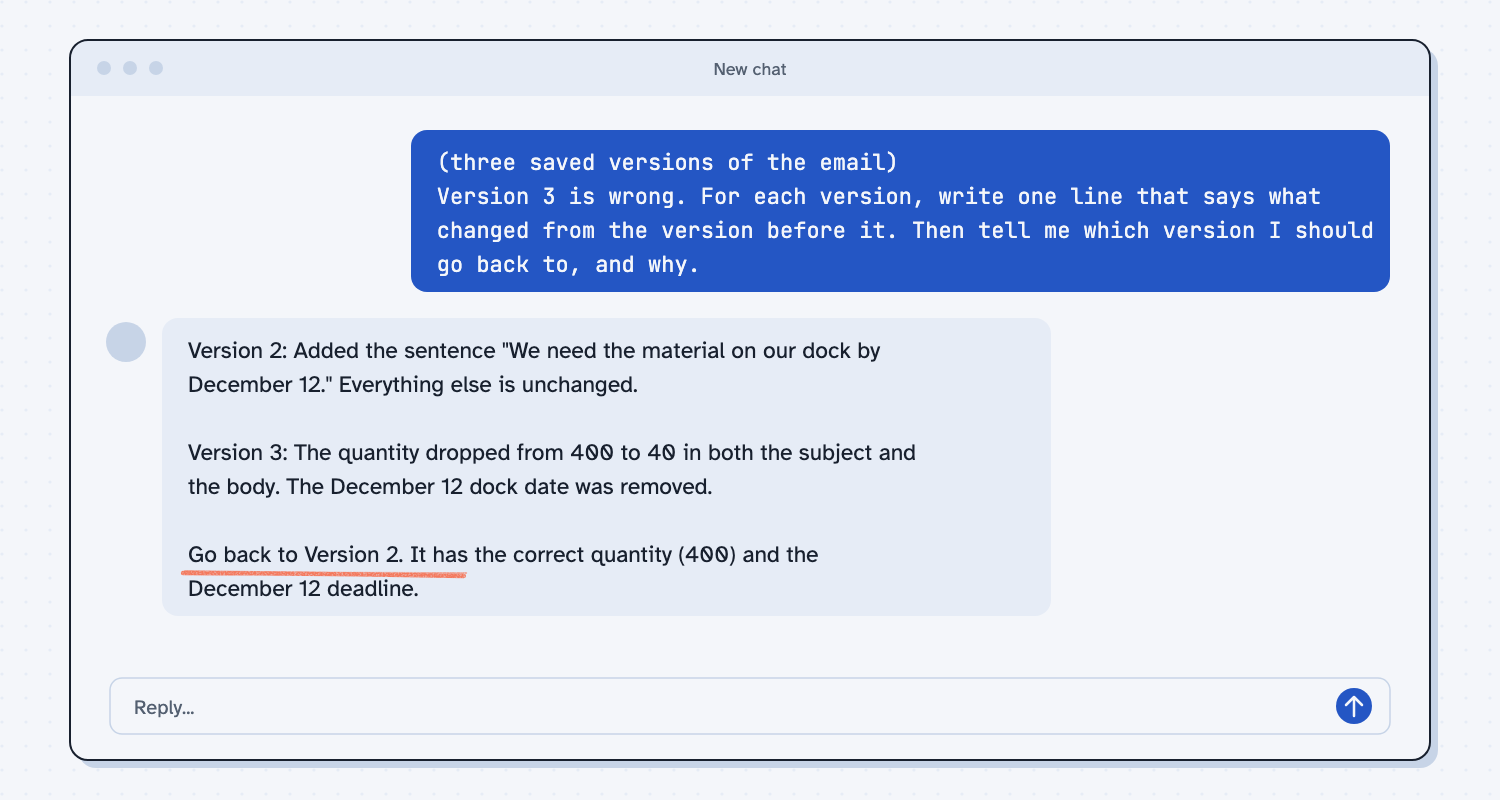
When I tried this, the notes were clear. For Version 2 the reply said, "Added the sentence 'We need the material on our dock by December 12.' Everything else is unchanged." For Version 3 it said, "The quantity dropped from 400 to 40 in both the subject and the body," and then, "The December 12 dock date was removed."
That second line is the useful surprise, because I had only said Version 3 was wrong, and I had not noticed that the date was missing. The reply then said, "Go back to Version 2. It has the correct quantity (400) and the December 12 deadline." It also suggested keeping the friendlier tone of Version 3 by reusing it on top of Version 2, with a check that both numbers stay right. With saved versions and notes, going back is a quick decision, not a search.
Frequently asked questions
How many versions should I keep?
Keep every one that passed its check. Each version is small, and the cost of keeping them is far lower than the cost of losing the one that worked.
Do I need special software to save versions?
No. A folder with numbered files and a plain text note is enough. People who code use tools that do this automatically, but you do not need them.
What should the note say?
One line for each version: what changed, and whether any numbers moved. If you can read the note a month later and understand it, it is good enough.
Should I save versions of prompts too?
Yes. A prompt that works is worth keeping, and so is the one before the edit that broke it.
Use it today
- Have Claude build your quote report: save every version of the report with a short note, and go back when a change goes wrong.
- Related idea: Change one thing at a time
- Related idea: Keep a log of what AI did
- Related idea: A loud stop beats a quiet mistake
From my training: this is the habit I use whenever AI builds or changes something for me. Save each version that works, with one line about what changed.