Change One Thing at a Time: How to Edit AI Work Without Breaking It
With Josh Schultz ·
Answer. Changing one thing at a time means you ask AI for a single change, check the result, and only then ask for the next one. That way, when a number moves, you know exactly which change moved it. People call this one change, one check, and it works for a report, a spreadsheet, or a prompt.
The picture
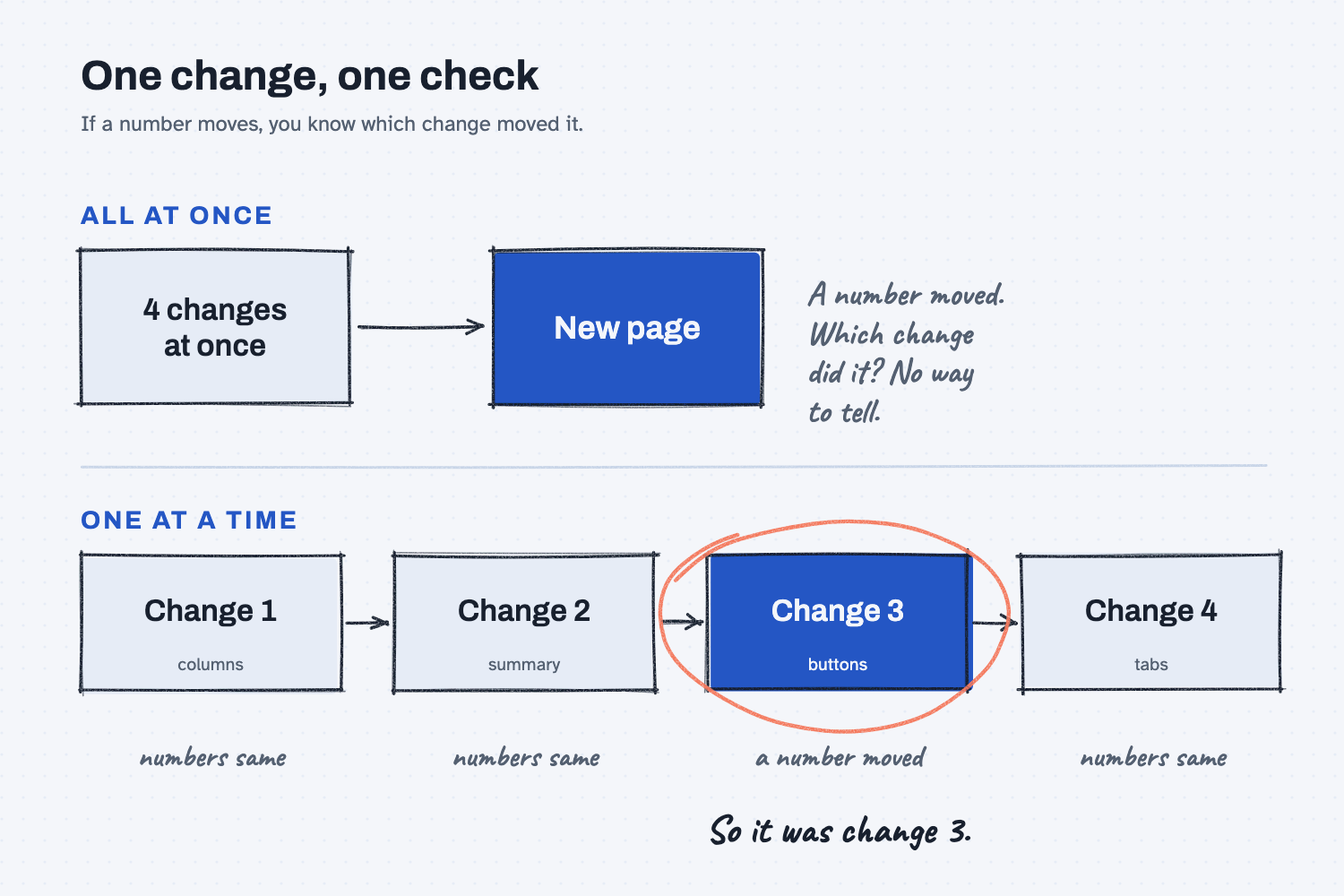
The top row shows what happens when you ask for four changes in one message. They all land on the page together, and when a number looks different, there is no way to tell which of the four caused it. The bottom row shows the same four changes made one at a time, with a check after each one. In this example the third check is the one that finds a moved number, and it is circled, so you know that change 3 did it, and you only have to look at that one change.
Think of it like this
Picture a machinist dialing in a new job. A good machinist does not change the feed rate, the spindle speed, and the cutting tool all at once, because if the first part comes out rough, there is no way to know which of the three caused it. So they change one setting, cut a test piece, measure it, and only then move on.
Each test piece costs a few minutes, and nobody calls that slow, because it is the fastest way to learn what each setting really does. AI will gladly make four changes at once, because you asked it to, but you are the one who has to work out what went wrong afterward, and that is far easier when only one thing has changed.
Why does it matter at work?
It matters because AI changes are quick to ask for and slow to untangle. When you stack several changes into one request and something looks off, you have to search through all of them for the cause, and that search often costs more time than the stacking saved.
Here is a real example from the sample report for Mesquite Ridge Metal Works, a price history built from saved quote files. I wanted four changes to it: two new columns, a summary table, Print and Excel buttons, and a tab for each part. Had I asked for all four at once and then spotted a wrong price, I would have had four places to look.
Instead I asked for them one at a time. After the first change, Claude told me which numbers had moved with "None moved. I ran the old and new scripts on the same files," and every version I checked against the answer key matched all 24 rows.
It paid off in another way too. When I asked for the cheapest supplier to be shown in green, Claude made nothing green for one part, because the three suppliers quote that bar in three different units and it would not guess at a conversion. Since that was the only change in that round, I understood the reason at once, while inside a four-change request it would have looked like a bug.
How does it work?
It works in four small moves that you repeat for each change: ask for one change, ask what moved, check the result against something you know is right, and save the version that passed.
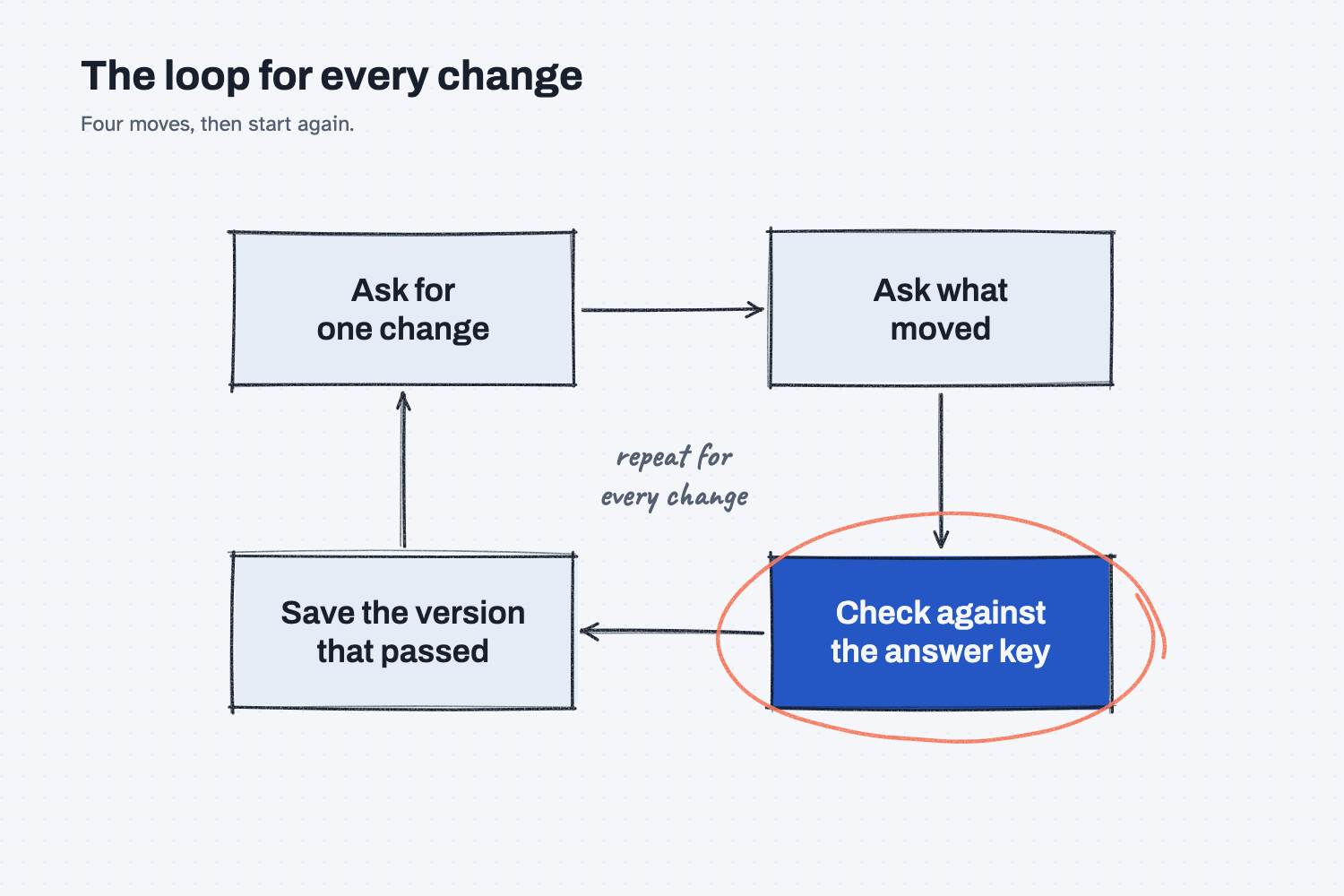
The loop in the picture starts at the top and runs once for every change, and the check against the answer key is circled because it is the step that tells you whether to keep going. As I put it in the quote report guide: "If you ask for four changes at once and a number moves, you cannot tell which change moved it."
Ask for one change, in plain words. Say what you want to see, such as "add a lead time column after unit price," and nothing else. A single clear request gives the AI less room to guess and gives you one thing to look at afterward.
Ask what moved. End the request with "Tell me which numbers on the page changed." This works because AI sometimes changes more than you asked for, and the question makes it report that to you instead of leaving you to find it.
Check against something you know is right. The best check is an answer key, which is a small set of results you already worked out by hand. If you do not have one yet, testing an AI tool against answers you know shows how to build one.
Save the version that passed. Once a change passes its check, keep a copy before you ask for the next change. That way each new change starts from something you trust, and if it goes wrong you can go back to the last version that worked.
Where do people get it wrong?
Most mistakes come from being in a hurry: adding extra requests, checking only the new part, and taking the AI's word that nothing else changed.
- Adding "while you're at it." Every extra request is another change that could move a number, so save it for the next round.
- Checking only the new thing. A new column can quietly change numbers that were already on the page, so look at the old numbers too.
- Believing "I only changed that." AI can be sincere and still be wrong about what it touched, so ask what moved and then verify it.
- Having no answer key. Without something you know is right, you cannot tell a good change from a bad one, and even three rows checked by hand beat none.
Try this in 2 minutes
This test compares one change with three, using a tiny quote table, in any chat tool.
- Open a new chat, paste this table, and then paste Ask A below it:
part,supplier,qty,unit price,freight
MR-3001,Red Creek,100,98.50,285.00
MR-3002,Panhandle,40,389.00,275.00
MR-3002,Cedar Flats,40,405.00,0.00
Total of all lines (qty x unit price, plus freight):
Ask A: Make ONE change: add a 3 percent fuel surcharge to the freight column only. Show the new table and the new total, then list exactly which numbers moved and by how much.
- Open a second new chat, paste the same table, and paste Ask B instead:
Ask B: Make these three changes at the same time: (1) add a 3 percent fuel surcharge to the freight column, (2) round every unit price to the nearest dollar, (3) drop the quantity on MR-3002 to 36. Show the new table and the new total. Then tell me the new total moved by how much, and how much of the move came from each change.
- The starting total is 42,170.00. With Ask A, you should see a new total of 42,186.80. With Ask B, you should see 39,060.80. Compare how much you had to check in each reply.
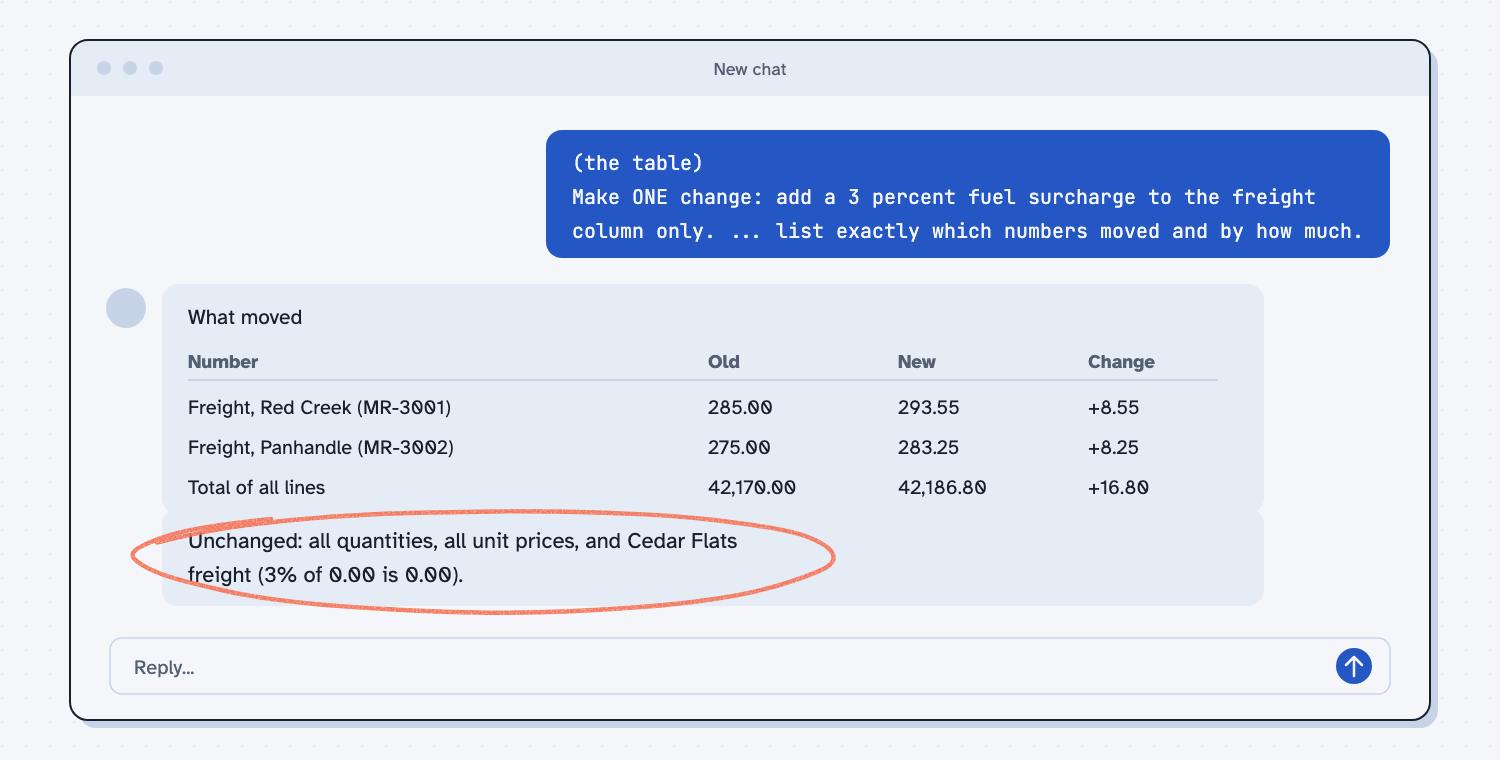
When I tried this, the reply to Ask A moved only two numbers plus the total, and it said so: "Unchanged: all quantities, all unit prices, and Cedar Flats freight (3% of 0.00 is 0.00)." It also noticed something I had not asked about, "MR-3002 is quoted by two suppliers, so if those are competing alternatives rather than both being purchased, the total would count that part twice."
The reply to Ask B was good too. It split the move into three pieces, and it explained that "the three effects add up exactly to the net move because the changes don't overlap." The catch is that it made a choice I never asked for. It rounded 98.50 up to 99.00 and noted, "If you wanted banker's rounding, it would go to 98.00, which would change the rounding effect to -50.00." Banker's rounding is a rule that rounds a half to the nearest even number. In a bigger report, where changes do overlap, a hidden choice like that is much harder to spot.
Frequently asked questions
Is it slower to make one change at a time?
Each change costs one short check, so it feels slower at first. It is faster overall, because you never hunt through a pile of changes for the one that broke a number.
What if two changes depend on each other?
Treat them as one change and check them together. A new column and a total that uses it are a good example, because you cannot judge one without the other.
Do I need this for small edits like wording?
Not for a typo or a friendlier sentence. Use it when the work has numbers in it, or when a wrong result would cost money.
Use it today
- Have Claude build your quote report: make four changes to a price history report, one at a time, and check each against an answer key.
- Related idea: Save every working version
- Related idea: Test an AI tool against answers you know
- Related idea: Say what you want to see, not how to build it
From my training: this is the rule I follow whenever I have AI change a report. One change, one check, then the next one.