What Is an AI Audit Trail? Keep a Log of What AI Did
With Josh Schultz ·
Answer. An AI audit trail is a short record of how AI helped with a piece of work: what went in, what came out, what you checked, and who approved it. The audit trail (the paper trail for AI work) lets you answer "How did we get this number?" weeks later without guessing.
The picture
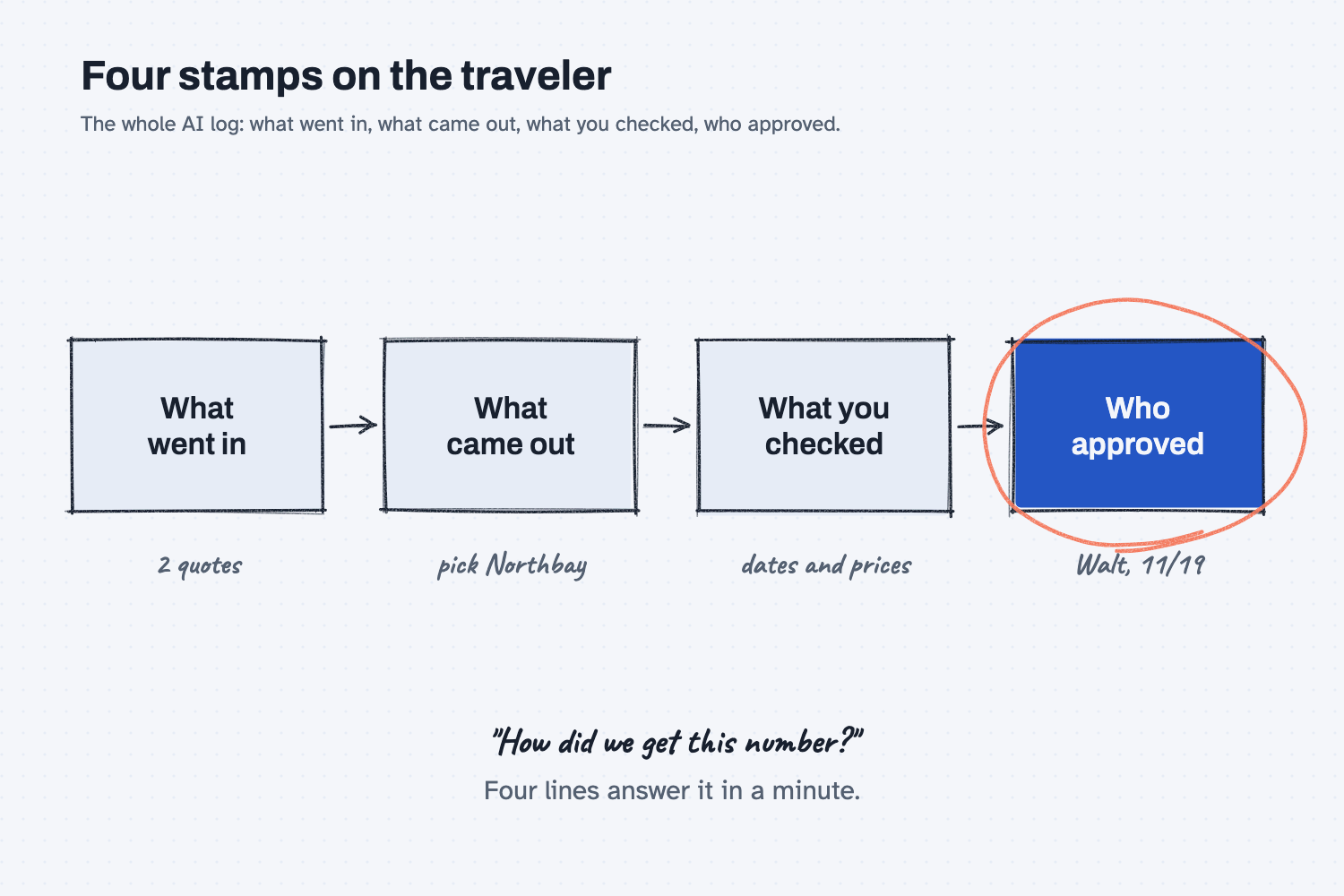
The picture shows four boxes in a row, and each one holds a single line, much like the stamps on a traveler. The first box says what went in, which was two quotes, and the second says what came out, which was the pick of Northbay. The third says what you checked, which was dates and prices, and the fourth says who approved it. The fourth box is circled because it names the person who answers for the decision. If you can fill in all four boxes, you can explain any AI-assisted decision to a boss, a customer, or an auditor.
Think of it like this
Think about the traveler that rides with a job through your shop. Every operation gets a stamp and a set of initials, so the paper records which heat lot was used, which gauge was used, and who signed off at final inspection.
Nobody remembers those details, but they do not need to, because they are written on the paper. When a part comes back from a customer six months later, you can pull the traveler and trace the part in five minutes.
AI work needs the same stamps: what went in, what came out, what got checked, and who signed. Without them, "the AI said so" is the only answer you have.
Why does it matter at work?
AI work does not stay in the chat, because it turns into quotes, purchase orders, emails, and reports. Sooner or later, someone asks where a number came from.
Here is how that plays out. Kevin Thao, a buyer at Mesquite Ridge Metal Works, uses AI to compare two quotes for 400 control boards. It recommends Northbay, at $14,400 more than the cheaper supplier, to protect a March date, and Walt, the VP of Operations, signs off.
Two months later, Luis Ramos, the controller, asks why the board cost jumped. Kevin remembers that "the AI picked Northbay," but he does not remember which quotes he pasted in, or whether anyone checked the lead times.
If there had been a four-line log in the PO file, Luis would have his answer in one minute. It would show the quotes, the recommendation, the check, and Walt's name with a date.
How does it work?
A good AI log is short, it is kept with the work, and a person signs it.
Four lines are enough. Write down the input, the output, what was checked, and who approved it, and add the date and the tool. You do not need to paste in the whole chat. Just save what you would need to rebuild the decision.
Keep it where the work lives. That means the PO file, the job folder, or a shared sheet, and not only one person's chat history. A chat history lives in one account, can be deleted, and never says who checked the work.
A person approves. The AI can draft the log, but a person fills in the "checked" and "approved by" lines. When we build AI systems for companies, I put the rule this way: "It will never read something and send it. Everything needs approval."
Bigger systems log every call. In a full AI system, every request and reply is saved automatically. Here is how I describe it: "you can open it up and you can see exactly what went to the LLM, what came back. So there's full traceability." Some work plans of chat tools also keep logs for your IT team, so it is worth asking what yours keeps.
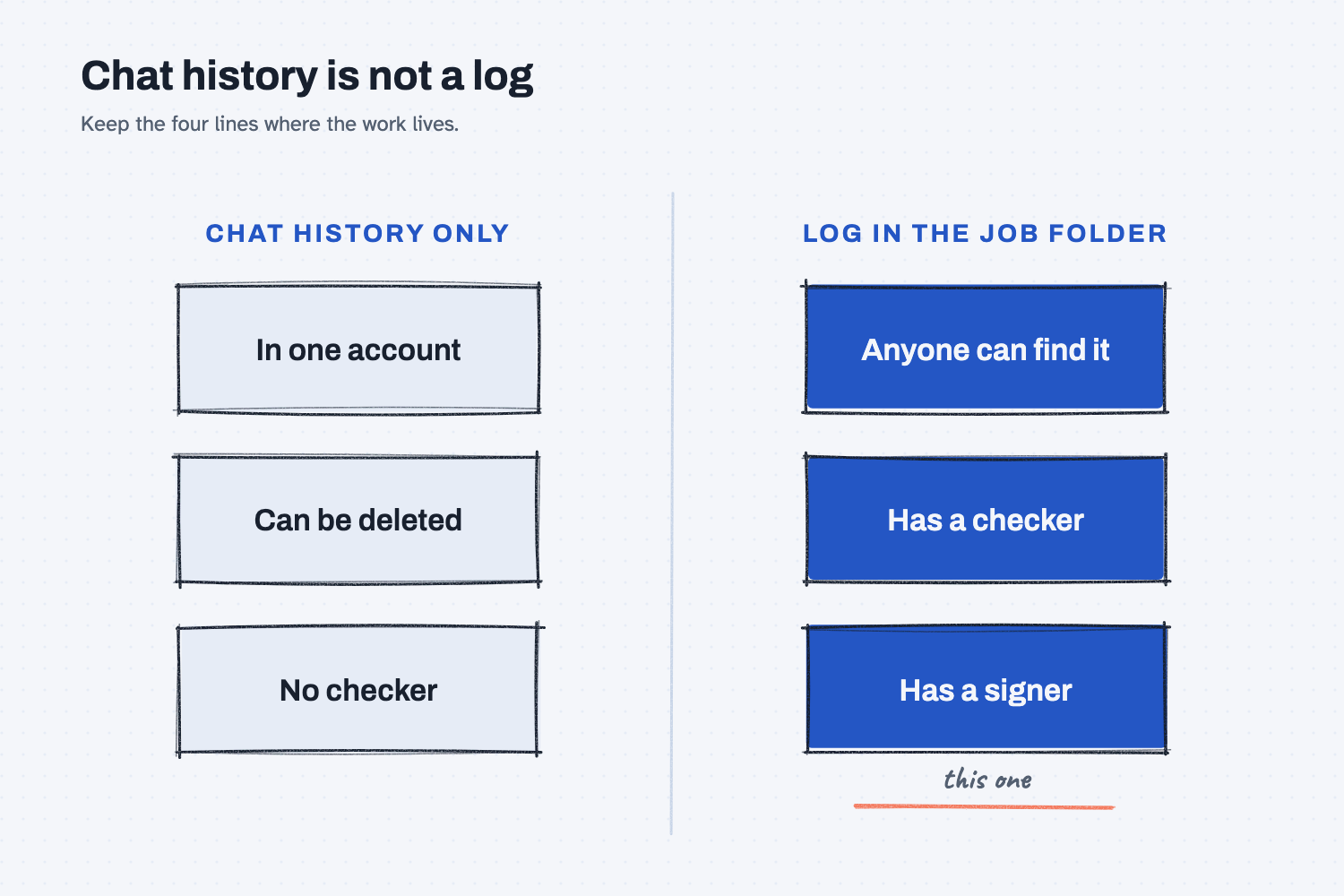
This second picture compares the two ways of keeping a record. Chat history alone lives in one account, can be deleted, and has no checker. A four-line log in the job folder can be found by anyone, and it has both a checker and a signer.
Where do people get it wrong?
Most mistakes come from treating the log as extra paperwork instead of as part of the job.
- "The chat history is my log." The history sits in one person's account, so when that person is out or clears it, the trail is gone.
- Logging everything. You do not need a log for a brainstorm, so keep it for work that moves money, goes to a customer, or changes a record.
- No "checked" line. A log with no check is just a receipt, so write down what you looked at, even if it is only one line.
- Letting the AI be the approver. The approver is the person accountable for the call, and AI cannot be held accountable.
Try this in 2 minutes
This test shows that AI can draft the log for you, and why you still need to read it. Use any chat tool.
- Open a new chat and paste this:
Earlier I asked an AI to compare two quotes for 400 RL-230 control boards.
What I gave it: quotes from Northbay Circuit Assembly ($148 per board, 3-week lead time) and Kestrel Electronics ($112 per board, 16-week lead time).
What it said: "Choose Northbay. The 3-week lead time protects the March 20 date. It costs $14,400 more."

Turn this into a 4-line log I can save with the PO file:
Input:
Output:
Checked:
Approved by:
Leave "Checked" and "Approved by" blank for me to fill in.
- Read the "Input" line, and ask yourself whether someone could rebuild the decision from it.
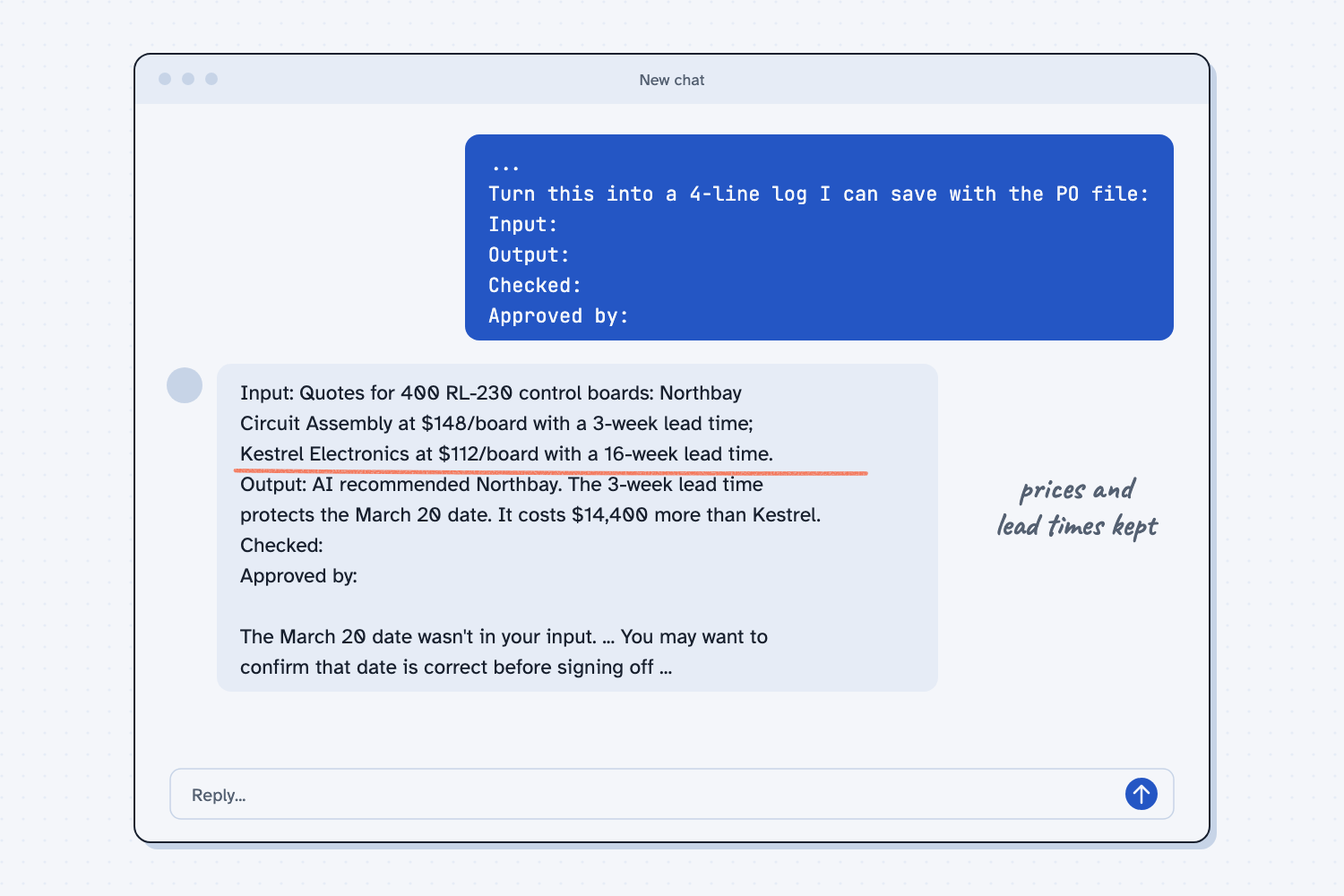
When I tried this, it gave me the four lines and left "Checked" and "Approved by" blank, as I asked. The Input line kept everything that mattered: "Quotes for 400 RL-230 control boards: Northbay Circuit Assembly at $148/board with a 3-week lead time; Kestrel Electronics at $112/board with a 16-week lead time."
It also added a note under the log: "The March 20 date wasn't in your input. ... You may want to confirm that date is correct before signing off ..."
That is a good result, because this log can answer "why $14,400 more?" two months from now, and the AI also flagged a gap I had not asked about. You should not count on that every time, though. A log is only useful if the Input line holds the prices and lead times, so let AI draft the log, and then read the Input line before you save it.
Frequently asked questions
Do I need a log for every AI chat?
No. Log AI work that moves money, goes to a customer, changes a record, or might come up in an audit. Brainstorms and rough drafts do not need one.
Where should I keep the log?
Keep it with the work itself, such as the PO file, the job folder, or a shared sheet your team can open. Anyone who might ask "how did we get this?" should be able to find it.
Who should sign the "approved by" line?
The person accountable for the decision should sign it, which is usually the person who would answer for it if it went wrong. It is never the AI.
We're ISO 9001. Does AI work count as a record?
Treat it like any other record. If the work feeds a quality record, a quote, or a customer document, keep the log the same way you keep the rest, and check your record rules with your quality manager.
Use it today
- Email suppliers about what's missing from their quotes: the sent file and the drafts page record what you asked and when.
For the story behind Kevin's board choice, see how to stack context for AI.
From my training: this comes from how I build AI systems for companies, where every call is logged and every action is approved.