Fix the Instructions, Not the Output: How to Fix AI Mistakes for Good
With Josh Schultz ·
Answer. To fix AI mistakes for good, don't just correct the answer. Find out why it went wrong, then fix the instructions the AI works from. This is the Act step in Plan-Do-Check-Act, a loop for steady improvement. A hand fix helps once, but a fixed instruction helps every time.
The picture
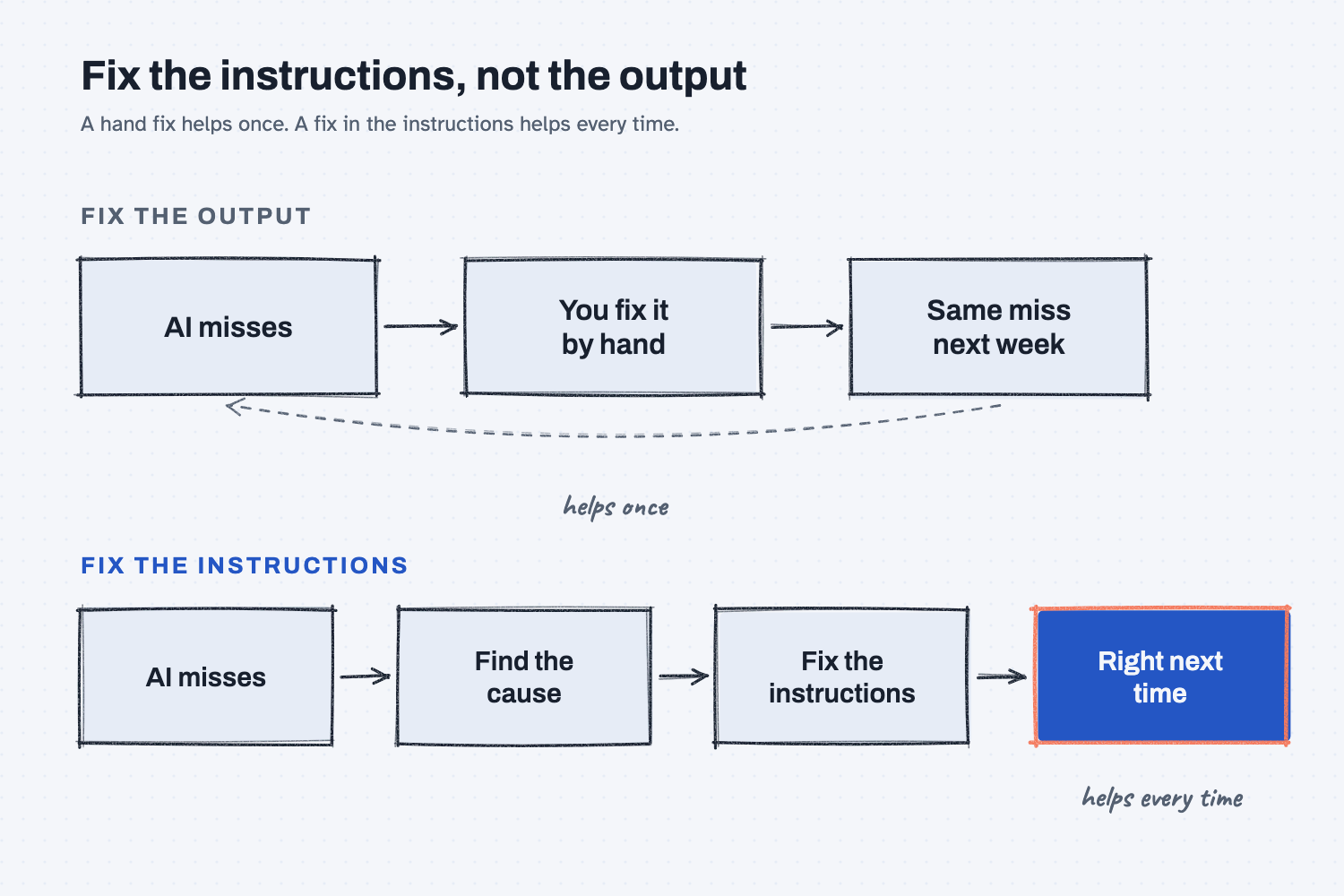
Look at the top row first. The AI makes a mistake, you fix it by hand, and next week the same mistake comes back, so the arrow loops around forever. The bottom row adds one more step, which is to find the cause and change what the AI reads before it starts. That extra step is the whole lesson.
Think of it like this
Picture a part that comes off the mill with a hole in the wrong spot. The operator fixes it at the bench and the part ships, which solves that one part.
The work instruction on the traveler, though, still shows the hole in the wrong spot, so tomorrow's part comes out the same way, and so does the one after that. Nobody in your shop would call that fixed. You would correct the work instruction so that the next part comes out right.
AI works the same way. The answer is the part, and the instructions are the traveler. If you only fix the part, you will be fixing it again next week.
Why does it matter at work?
Hand fixes feel like progress, but they don't stick, so you end up making the same correction every week and getting tired of checking.
Here is an example. Beth Carney is the estimator at Mesquite Ridge Metal Works, and she uses AI to draft quote emails. Tri-County Implement is on prepaid freight, which at Mesquite Ridge means the shop pays the freight. The AI keeps adding $85 of freight to Tri-County's total, so Beth catches it, fixes it, and sends the quote. The next week's quote has the same $85 in it.
The fix was never in the instructions, because nobody ever told the AI what "prepaid" means at this shop, and so it decided on its own. I put it this way in my notes on this: "Every decision you leave out of the plan, the agent makes for you."
Beth adds one line to her instructions saying that prepaid means we pay the freight. Her next quote comes out right, and she no longer has to make that fix.
How does it work?
You add a fourth step to the way you already check work: plan, do, check, and then act on what you found. The diagram below shows the four steps in order.
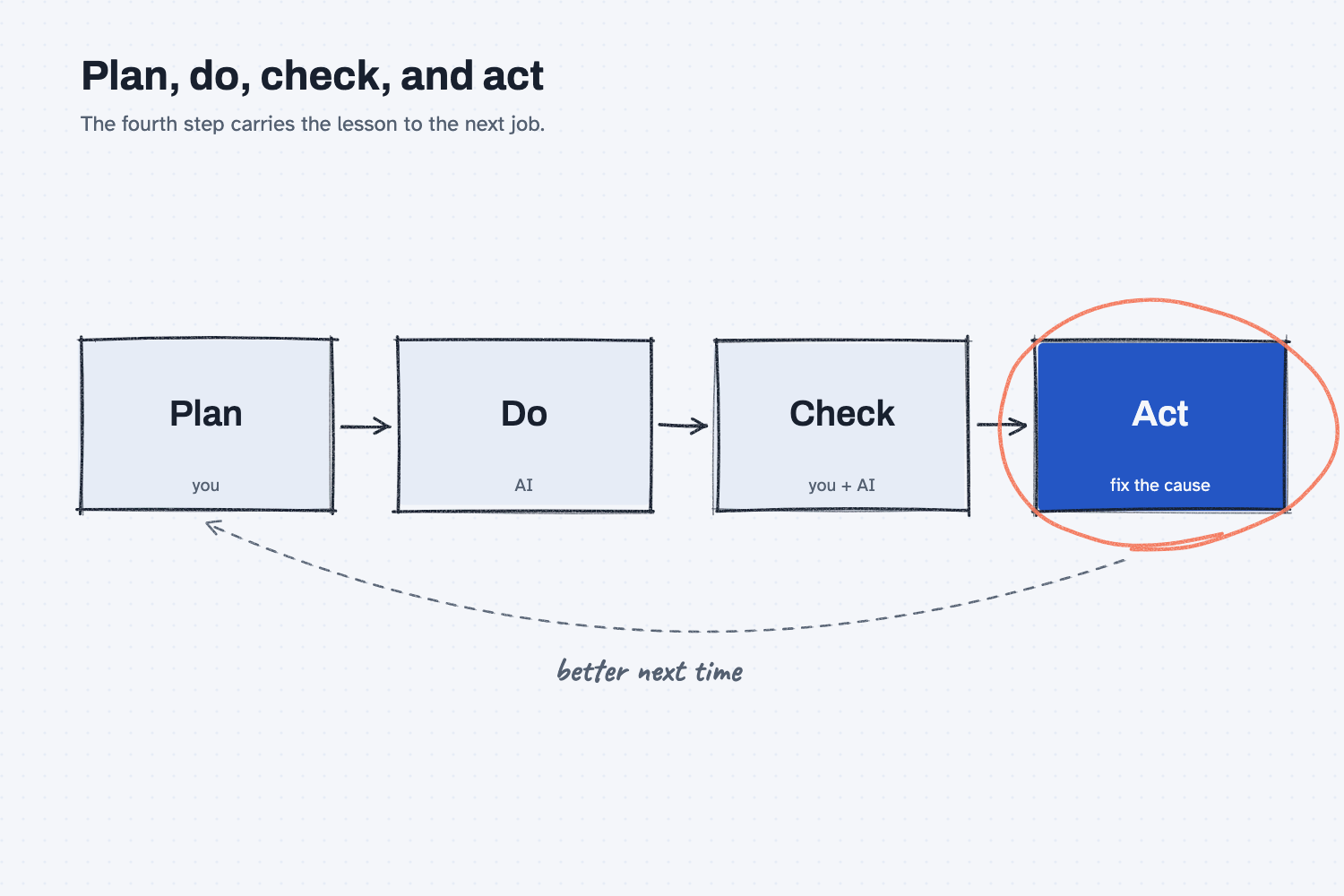
Plan, do, check is not enough. Plenty of people stop after the check, and in my words: "Check found the problem and nothing changed." Act is the step that carries the lesson over to the next job.
A fix in the chat stays in the chat. When you type "that's wrong, take the freight off," the AI fixes that one answer. A new chat, however, starts with an empty desk (see what a context window is), so your correction is not there.
Find the cause before you fix. Most misses come from one of three places, and each one has its own fix:
- A call nobody made. The AI had to guess, such as what "prepaid" means here, so you write the decision down.
- Old or missing facts. It used last year's price list, so you update the file it reads.
- Wrong steps. It had the facts but did the steps out of order, so you change the steps and add an example.
People often blame the AI first, and in my field notes, I wrote it plainly: "Many people blame the model first." Most of the time, the fix belongs in the plan or the facts instead.
Put the fix where every chat can see it. That means your settings, your project instructions, or a saved skill, which sit at the top of the stack (see how to stack context for AI). Anything placed there is read before every job.
Where do people get it wrong?
Most mistakes come from fixing too little, or from fixing too much at once. Here are four I would watch for.
- Fixing the answer and moving on. It feels done, but it is not, so ask "why did it do that?" before you send.
- Making a rule from one strange case. One odd order is not a pattern, and if you add a rule for every oddity, your instructions fill up with rules that fight each other. Wait until you see the problem twice.
- Changing five things at once. If you change one thing and run the job again, you can see what moved, and then you know which change helped.
- Only ever adding rules. Old rules add noise, so when a rule stops mattering, take it out.
Try this in 2 minutes
This test shows a hand fix disappearing, and you can use any chat tool.
- Open a new chat and paste this:
Write a short quote email to Tri-County Implement.
Part: MR-1001 mounting bracket. Qty: 200. Price: $4.10 each.
Freight to their site: $85.
Tri-County is on prepaid freight terms.
Show the total. Keep it to 5 lines.
- Look at the total. If it added the $85, type:
That's wrong. Prepaid means we pay the freight. Take it off the total.The AI then fixes the answer. - Open a new chat and paste the same prompt again, then look at the total to see whether the fix carried over.
- Open one more new chat. Put this line at the very top, and paste the prompt under it:
RULE: Prepaid freight means we pay the freight. Never add freight to a prepaid customer's total.
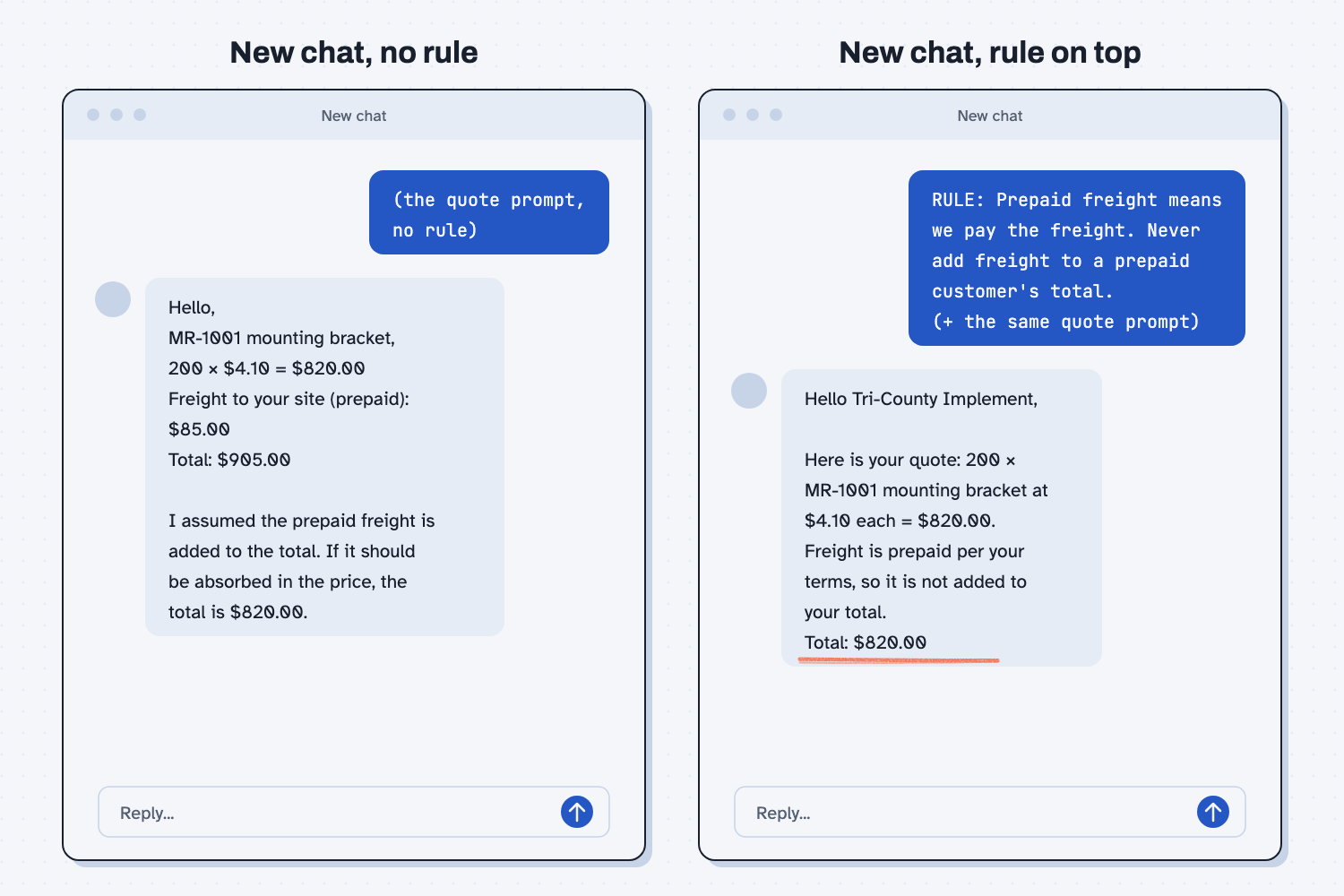
When I tried this, the plain prompt gave a total of $905, because it added the freight. It did flag its guess, though: "I assumed the prepaid freight is added to the total. If it should be absorbed in the price, the total is $820.00." That made the mistake easy to catch, but only if you read the note.
After I typed the hand fix, it said "You're right, I had it backwards" and gave $820. A new chat with the same plain prompt went back to the $905 guess, which shows the fix did not carry over. With the rule on top, the email said "Freight is prepaid per your terms, so it is not added to your total." The total was $820.00.
Some shops do bill freight on prepaid orders, and that is exactly why the rule has to be written down.
Frequently asked questions
Why doesn't AI learn from my corrections?
Most chat tools don't change the AI when you correct it, so your fix lives only in that one chat. Some tools have a memory feature that saves a few notes, but you should not count on it. Put the fix in your instructions instead.
Where should I put the fix?
Put it anywhere the AI reads before every job, such as your settings, your project instructions, or a saved skill. If the fix only matters for one kind of job, a skill is the best spot.
How do I know the fix worked?
Run the same job again in a new chat. Then run two or three old jobs that already worked, so you can see that the new rule did not break them.
What if the AI still makes the mistake?
Then the cause is somewhere else, so check the facts it read and then the steps. Change one thing at a time so you can tell which change worked.
Use it today
- Have Claude build your quote report: fix the instructions once, and every later page comes out right.
From my training: this comes from my Plan, Do, Check, Act field note. Humans plan. Agents do. Both check. Every miss changes the system that made it.