What Is a Context Window? Why AI Forgets Your Email Thread
With Josh Schultz ·
Answer. A context window in AI is everything the AI can see at one moment: your prompt, the files you attached, and the chat so far. Think of it as a desk. If something is not on the desk, the AI cannot use it, even if you told it yesterday.
The picture
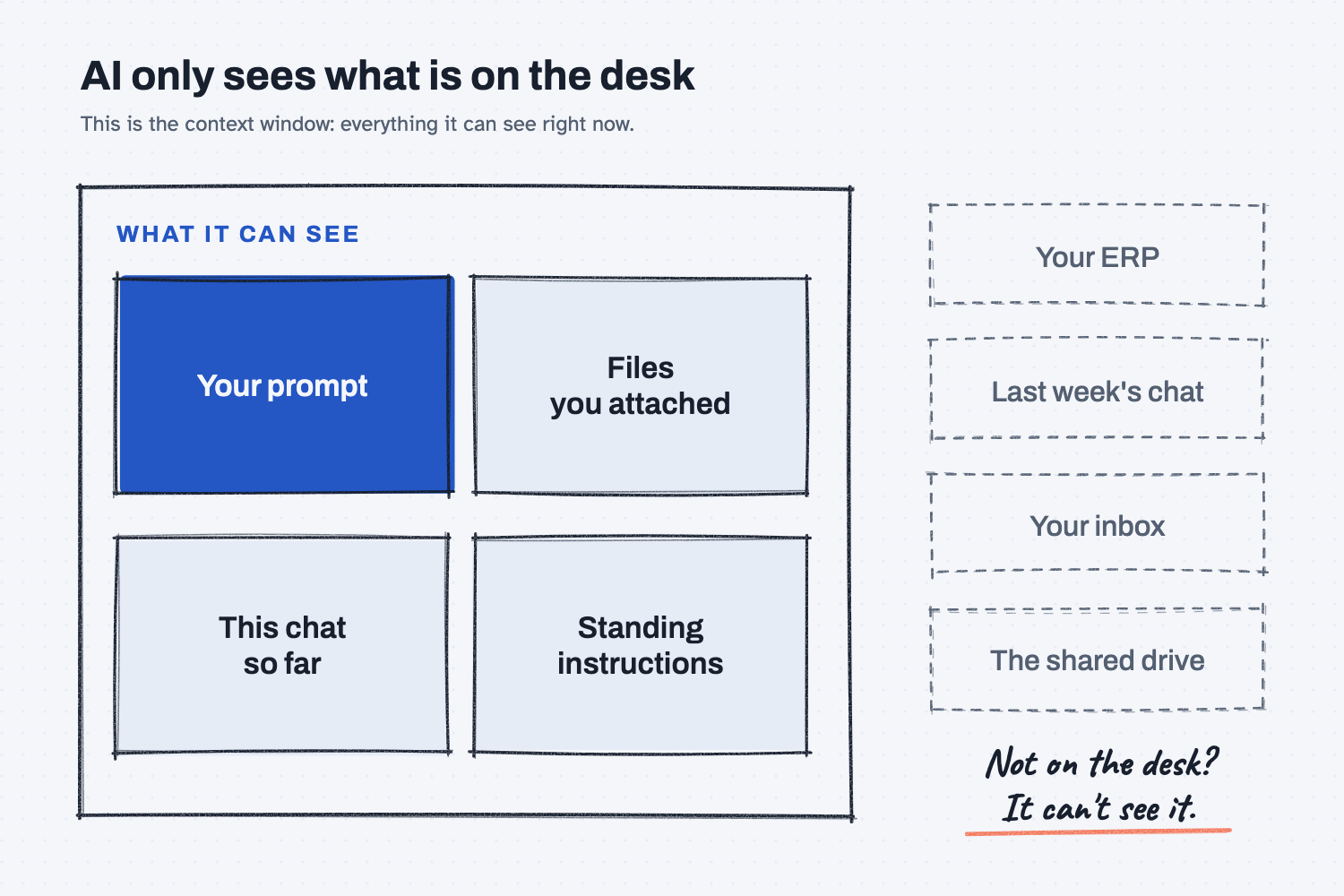
Look at the box in the picture, which stands for the desk. Everything inside it is what the AI can see, and everything outside it, such as your ERP, last week's chat, and your inbox, is something the AI has never heard of. That is the whole idea, and the rest of this lesson explains why it matters at work.
Think of it like this
Picture a sharp new hire on their first day. You hand them a folder and say, "Find the late POs."
They will do a great job with what is in the folder. But they don't know your ERP, they didn't sit in last week's meeting, and they can't read your inbox. If something isn't in the folder, it doesn't exist for them.
Here is the strange part. With AI, every new chat is day one again, so you get the same smart new hire with an empty folder.
Why does it matter at work?
It matters because AI gives confident answers from whatever is on the desk, even when the desk is missing something. It won't tell you "I think I'm missing emails." It simply answers.
Here is an example. Dana, a senior buyer at Mesquite Ridge Metal Works, pastes a long expedite email thread with Red Creek Steel into a chat and asks, "What ship date did they promise?"
The AI answers "March 14." But the thread was long, and she only copied the first screen, so the newer email that pushed the date to March 21 never made it onto the desk. The answer was right for the desk, but it was wrong for the job.
How does it work?
The AI reads the whole desk every time you send a message, and three things decide what is on it.
What you put there. This includes your prompt, any pasted text, and attached files, and it is the part you control.
What the chat already holds. Every earlier message in this chat stays on the desk, while a new chat starts with an empty desk.
How big the desk is. Every tool has a size limit, and long chats and huge files can fill it. When that happens, some tools drop or squeeze the older parts without telling you.
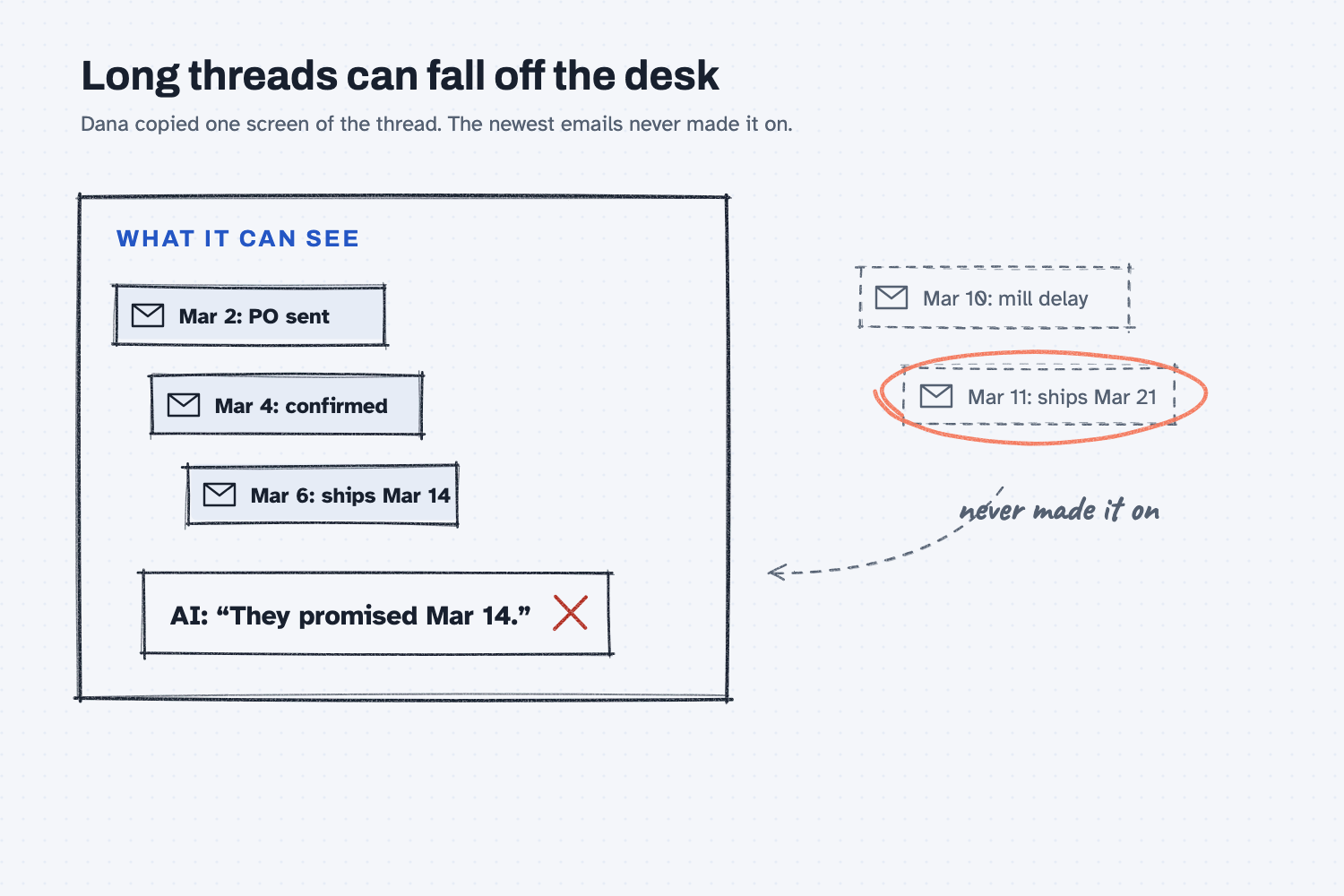
This second picture shows what a full desk looks like, with the newest emails of a long thread falling off the edge where the AI can no longer see them.
Some tools now have a memory feature that saves a few notes about you between chats. Treat that like a sticky note on the monitor and not a full folder, because the real work still has to be on the desk.
Where do people get it wrong?
Most mistakes come from thinking the AI knows more than what is on its desk. Here are four I watch for.
- "I told it yesterday." Yesterday was a different chat, so paste it again, or use a project that keeps your files on the desk.
- Copying one screen of a long thread. Export the whole thread or paste all of it, and then ask the AI to list the dates it found so you can see what it read.
- One giant chat for everything. After a while the desk fills up with old topics, so start a new chat for each new job.
- Asking about systems it can't see. If you ask "What's our current stock of MR-3001?", it can't answer because it can't see your ERP, so give it the export.
Try this in 2 minutes
This test shows you the desk with your own eyes, and you can use any chat tool.
- Open a new chat and paste this:
My favorite part number is MR-1015. Just say "Got it."
- In the same chat, ask:
What is my favorite part number?It knows the answer, because the note is on the desk. - Open a brand-new chat and ask the same question.
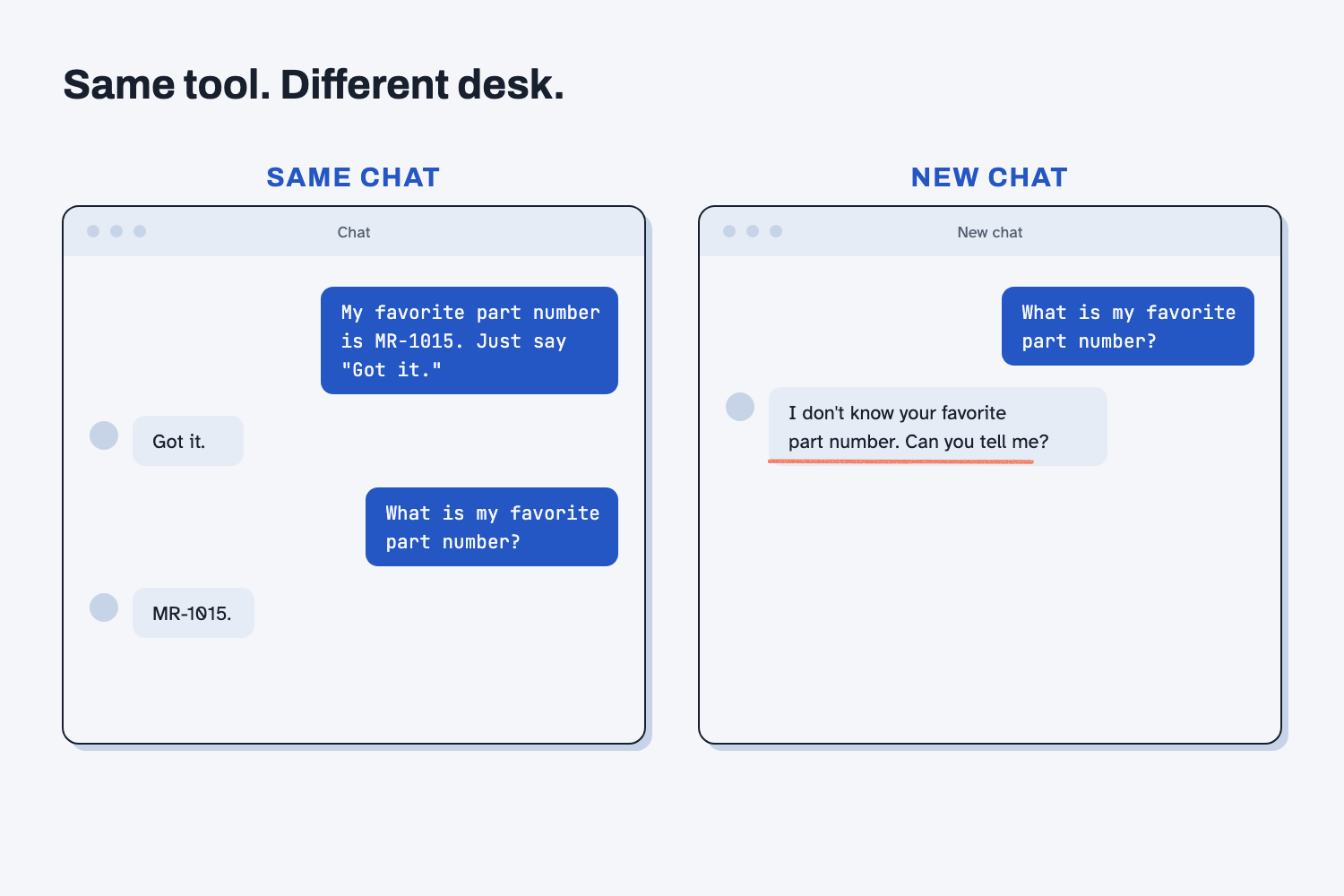
In the new chat, it doesn't know the answer (unless a memory feature saved it). The tool is the same, but the desk is different, and that difference is the context window.
Frequently asked questions
Is the context window the same as AI memory?
No. The context window is what the AI sees in this chat right now, while memory features save a few notes between chats. The context window holds your actual files and messages for the current job.
How do I keep my files on the desk for every chat?
Use a project. Claude Projects and ChatGPT Projects keep files and instructions attached, so every new chat in that project starts with them on the desk.
Why did the AI ignore part of my spreadsheet?
Usually the file was too big for the desk, or only part of it was pasted. Ask it to tell you the first and last row it can see, and then split the file if you need to.
Does a bigger context window mean better answers?
Not by itself. A bigger desk holds more, but a cluttered desk still causes mistakes, so give it only what the job needs.
Use it today
- Related idea: Why AI fails on long tasks: what goes wrong when the desk fills up.
From my training: this is a sample lesson written to show the format. Replace it with a real excerpt from a workshop or Loom.