What Triggers an AI Agent? Bell, Clock, or Ask
With Josh Schultz ·
Answer. A trigger (what starts the work) tells an AI agent when to begin. There are three kinds. A bell means something happened, like a new PO arriving. A clock means it is time, like every morning at 7. An ask means a person typed a request. A chat box only covers the ask.
The picture
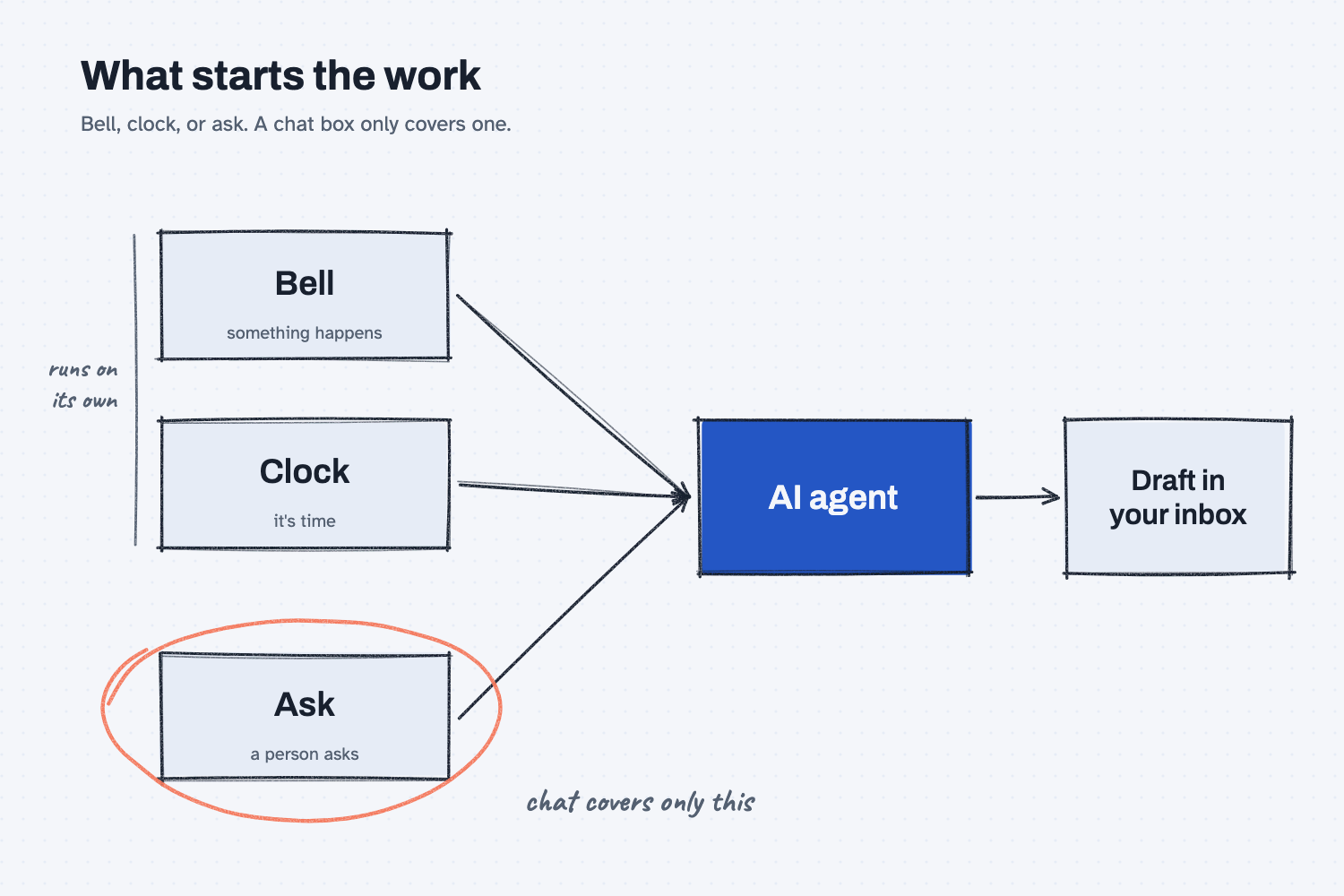
Look at the three boxes on the left, which are the three ways work can start. Only the bottom one, the ask, needs you to type anything. The bell and the clock start on their own, and the finished work lands where you would look for it anyway, such as a draft in your inbox. Most people picture only the bottom box, because a chat box is the way they usually meet AI.
Think of it like this
Think about how work finds you on a normal day in the plant office.
The receiving-dock buzzer goes off, which tells you a truck is here, so somebody walks out to meet it. That is a bell, because something happened.
On Monday at 7 a.m. you walk the floor and check the board, even though nobody asked you to, simply because it is that time. That is a clock.
Then the foreman waves you over and says, "Can you find out why this order is late?" That is an ask, because a person requested it.
Most of your day starts with the buzzer and the clock, and only some of it starts with someone asking. AI can be set up to work the same way.
Why does it matter at work?
If AI only works when someone asks, it only helps when someone remembers to ask. As I put it in my notes: "Most work in a company does not start with someone asking."
Here is an example. Dana Ortiz, a senior buyer at Mesquite Ridge Metal Works, uses a chat to find late POs, and every Monday she pastes in the export and asks.
Then audit week comes, and she doesn't ask for two Mondays in a row. During that time a Red Creek Steel order slips by eight days before anyone notices.
So she changes what starts the work. Every morning at 7, the past-due list and a draft reminder for each late order land in her inbox, and she reads them and sends the good ones. Nobody has to remember anymore, because the clock remembers for her.
How does it work?
Each trigger fits a different kind of work, so here are the three, followed by how work moves from one to the next.
Bell: something happens. A new PO lands, a file changes, or a new hire starts, and the AI acts right away. Use a bell when speed matters. The tech name is a signal.
Clock: it's time. This could be every morning, every Friday, or every 10 minutes, and the AI looks across many things at once, such as past-due orders, the weekly on-time report, or the supplier inbox. The tech name is a cron (a scheduler that runs a job on a clock).
Ask: a person asks. You type a request, which suits one-off work, judgment calls, and building something new. This is the chat box you already know.
Work moves up. Watch what people keep asking for. "When the same ask comes back, it is ready to become a cron. When a cron keeps finding the same event, it is ready to become a signal."
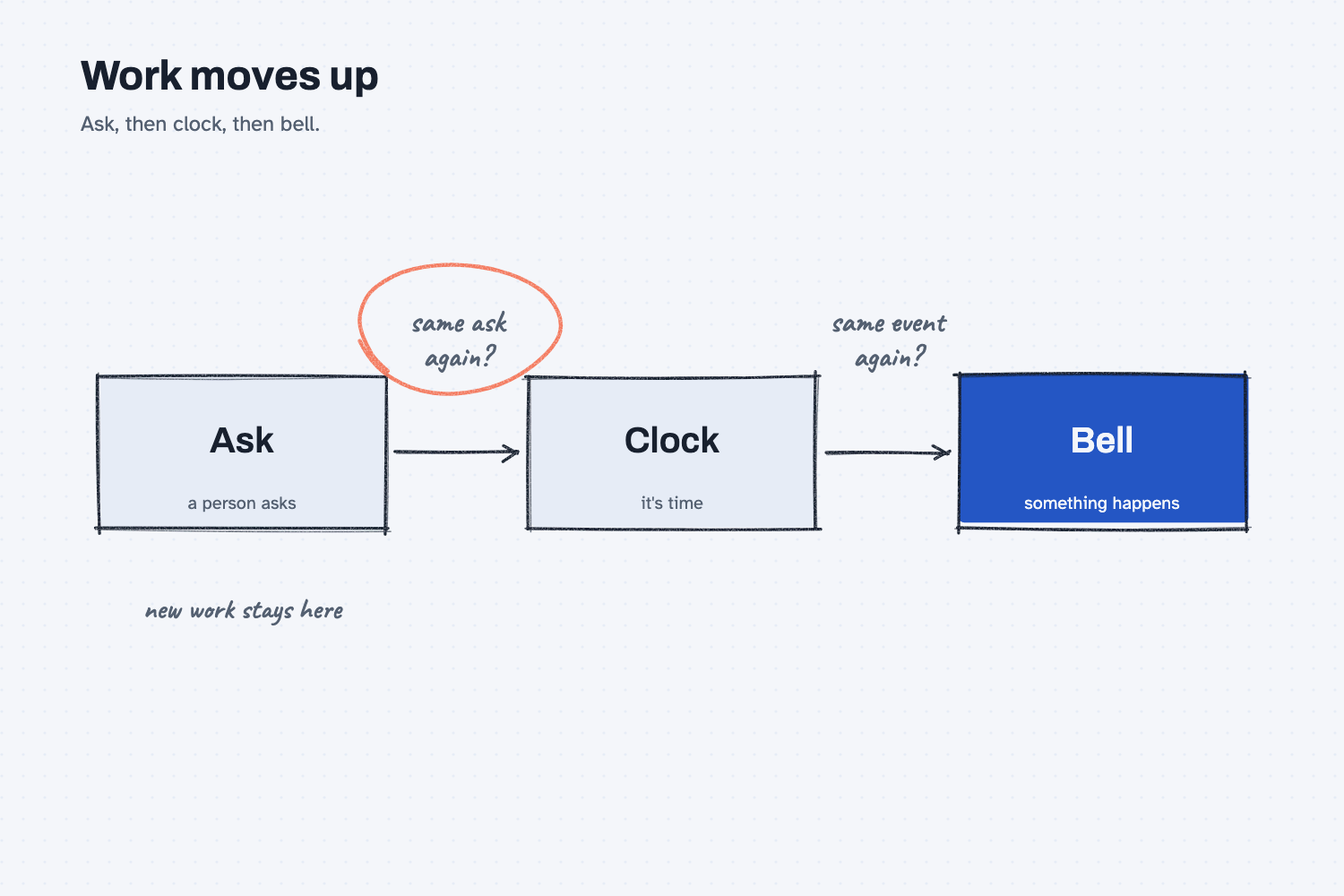
This picture shows that path. If the same ask keeps coming back, it can become a clock, and if a clock keeps finding the same event, it can become a bell.
You don't need to build anything to start. Some chat tools can run a saved prompt on a schedule, and if yours can't, a calendar reminder and a saved prompt get you most of the way to a clock.
Where do people get it wrong?
Most mistakes come from treating every job like an ask. Here are four I watch for.
- Only picturing the chat box. Ask your team, "What do you check every morning?" Each of those checks is a clock waiting to happen.
- A clock that never stops talking. "No news means no message, and every alert has earned its place." An alert that fires all day gets muted, and once it is muted it stops doing its job.
- Not noticing when it stops. "A failed agent makes no noise, so something has to notice when it stops." Pick one person who would miss the morning list.
- Letting it act on day one. A bell or a clock runs while you aren't watching, so begin with drafts. "Start with draft, and earn act." See the four levels of AI automation.
Try this in 2 minutes
This test sorts real tasks by what starts them, and you can use any chat tool.
- Open a new chat and paste this:
Work starts in one of three ways:
Bell: something happens (a new PO, a new email, a changed file).
Clock: it is time (every morning, every Friday).
Ask: a person asks for it.

Label each task Bell, Clock, or Ask. Answer as a table: Task, Start, Reason (under 8 words).
1. Check a new PO against the quote when it arrives
2. Send the Friday supplier on-time report
3. Explain why one order is late
4. Chase orders that are past their promise date
5. Answer a dealer who asks about a warranty
- Before you read the answer, guess each label yourself.
- Swap in five tasks from your own week and run it again, and then count how many are clocks.
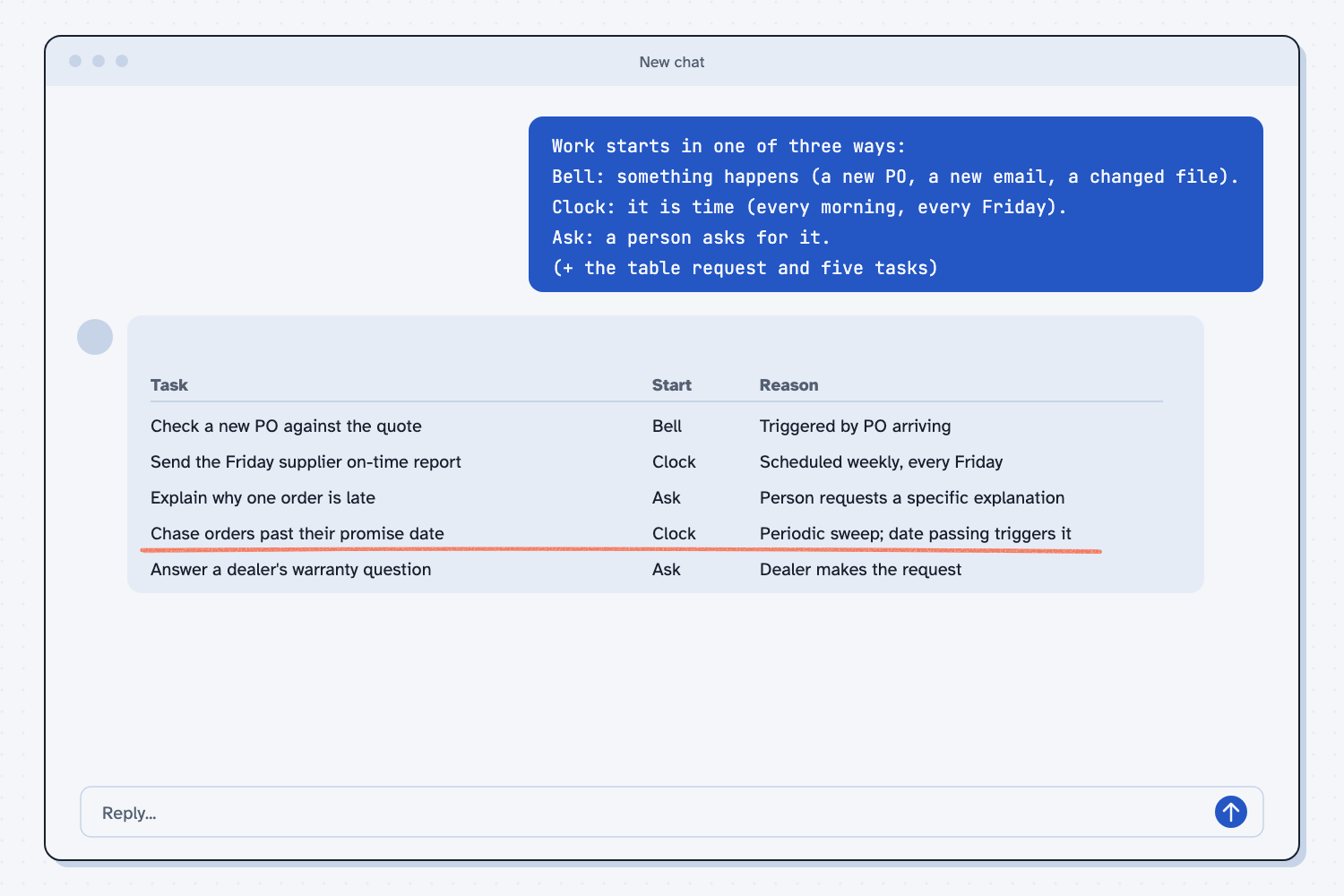
When I tried this, the labels matched how a buying desk works. A new PO was a bell, the Friday report was a clock, and the late-order question and the dealer question were asks.
The one worth a second look is chasing past-due orders. It called that a clock, with the reason "Periodic sweep; date passing triggers it." Then it added a note: "it could also be a Bell, if you set it to fire the moment an order crosses its promise date. As a routine daily or weekly sweep, it's a Clock."
That note is the real lesson, because the same job can start in two different ways. Pick the one that fits how you work, and since most desks check late orders each morning, all at once, a clock is usually the better fit.
Frequently asked questions
Can an AI agent start on its own?
Yes, if it has a bell or a clock. A bell starts it when something happens, and a clock starts it on a schedule. A plain chat waits for you to ask.
Which trigger should I start with?
Start with a clock. Pick one thing you check every morning or every Friday, and have AI draft it before you get there. It is easy to set up and easy to check.
What is the difference between a bell and a clock?
A bell acts the moment something happens, while a clock looks at everything on a schedule, even if nothing changed. Use a bell when speed matters, and use a clock to look across many items at once.
Is a triggered agent safe?
It is safer when it drafts and you send. It runs while you aren't watching, so let it earn the right to act. Read chat vs. agent for why a sign-off step matters.
Use it today
- Related idea: Chat vs. agent: what an agent does once something starts it.
From my training: this comes from my Three Triggers field note. Before we pick a tool, we ask what starts the work.