Keep Your Rules in One Place So Two Reports Never Disagree
With Josh Schultz ·
Answer. Keeping your rules in one place means that when two reports need the same checks, they both read one shared set of rules instead of each carrying its own copy. People call this a single source of truth, because there is only one place to look and one place to change. When you update a rule there, both reports change together, so they can never disagree.
The picture
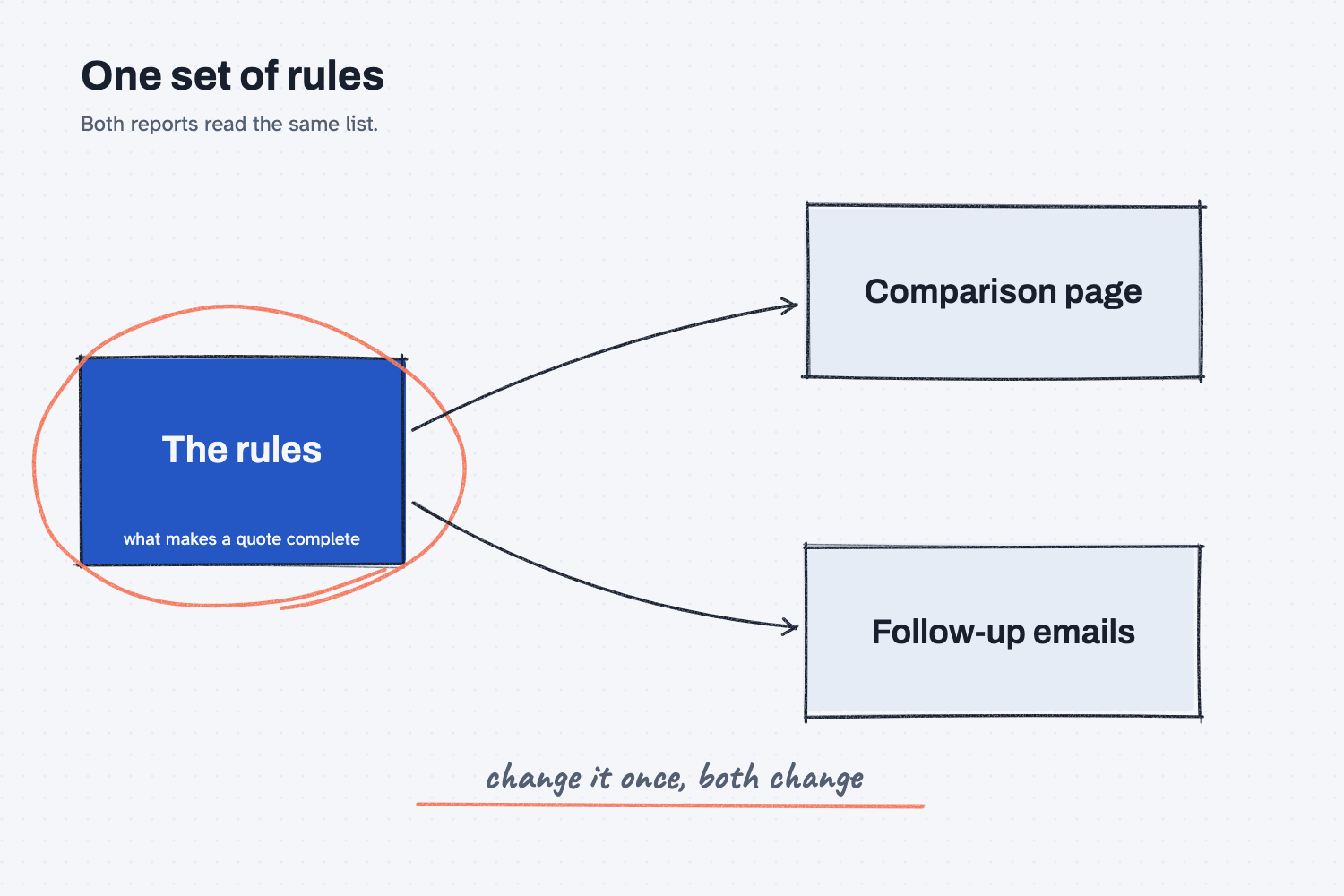
The box in the middle holds the rules, such as what makes a quote complete. The comparison page reads from that box, and so do the follow-up emails. Because both arrows start at the same place, a change to the box reaches both reports at the same moment. The circle on the box is a reminder that this is the one place you edit.
Think of it like this
Think about the drawing that hangs at the inspection bench and also at the shipping dock. In a well-run shop there is one controlled drawing with a revision letter on it, and everybody works from that one. When engineering changes a hole size, they change the drawing once, and the bench and the dock both see Rev B on the same day.
Now think about a shop where the bench has its own copy and the dock has its own copy. Someone updates the bench copy and forgets the dock. For a while nobody notices, and then a part gets passed at the bench and rejected at the dock, and people argue about who is right. Both of them were following a drawing, just not the same one.
Two reports that each have their own copy of a rule behave like that shop, and a rule in one place behaves like the controlled drawing.
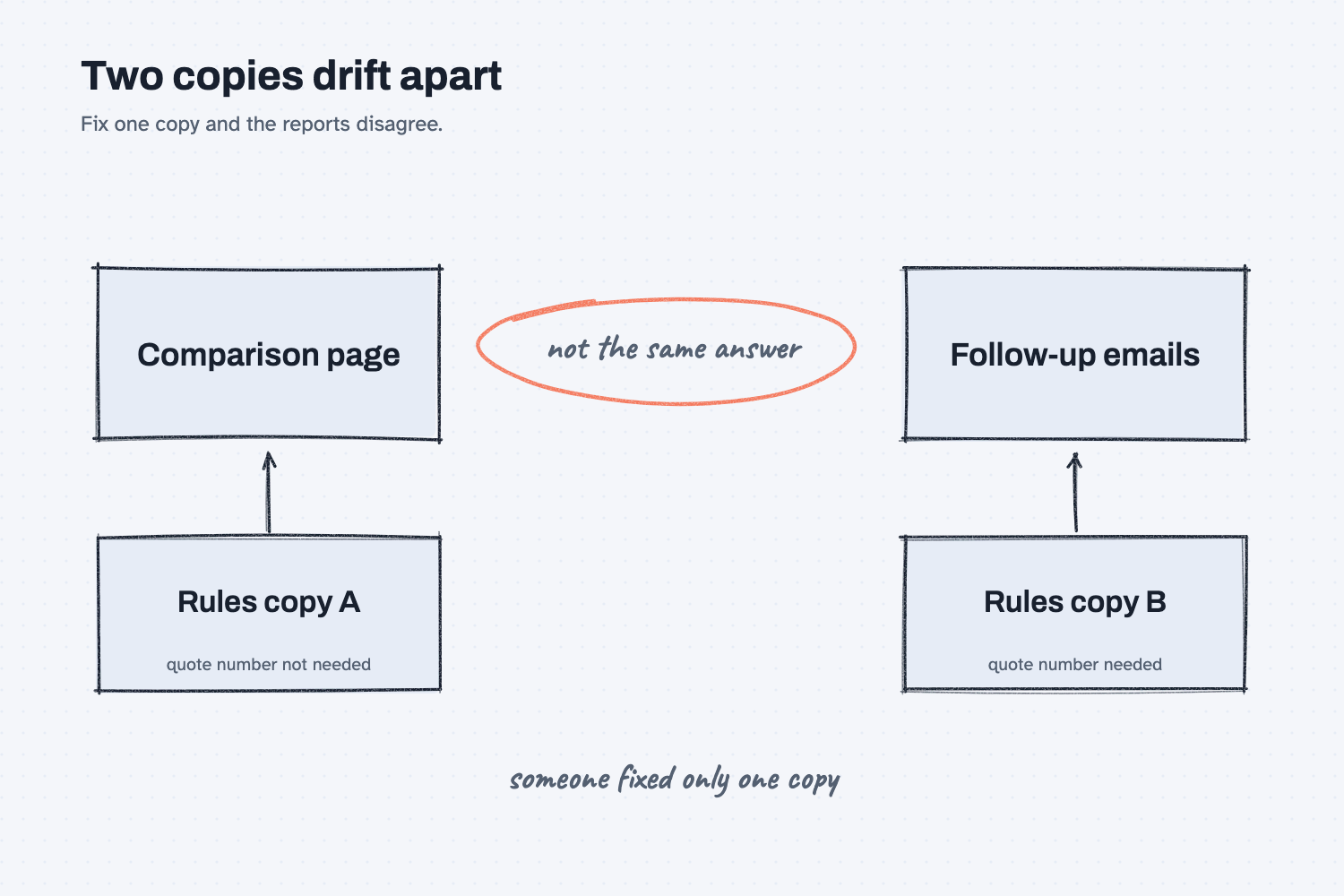
Here is the same problem as a picture. Each report reads its own copy, someone has fixed only one of them, and so the page and the emails now give different answers about the same quote.
Why does it matter at work?
It matters because reports often come in pairs, where the first one says what is wrong and the second one acts on it. If the two disagree, you either ask a supplier for something the page said was fine, or you miss something the page flagged.
A comparison page flags what a quote is missing, and then a set of follow-up emails asks the supplier for those things. That only works if both use the same idea of what "missing" means.
Here is an example from Mesquite Ridge Metal Works. A buyer compares quotes for one RFQ, and the comparison page marks Panhandle Bar and Plate as missing its address, quote number, expiry date, payment terms, and minimum order. Then a second script writes a follow-up email to each supplier with a numbered list of what to ask for. The follow-up script does not have its own idea of what "missing" means. It borrows the checks from the comparison script, so the page and the email always list the same items.
That pays off when something changes. Suppose Panhandle replies that they do not use quote numbers on email quotes, and the buyer decides a quote number is no longer required for that RFQ. They change the rule once, and the comparison page stops flagging it and the emails stop asking for it, with no second edit to remember.
How does it work?
There are three parts to it, and each one is simple.
Write each rule down once, as a plain statement. A rule might be "a quote needs an expiry date" or "payment terms must not be blank." It helps to keep the rules in a short list, because a list is easy to read, easy to change, and easy to show to a coworker who asks why the page flagged something.
Let every report read the list. The comparison and the follow-up each ask the same list, "does this quote pass?" and then use the answer in their own way. One shows it as a flag on a page, and the other turns it into a question in an email. In the guide this comes from, the follow-up script borrows its checks from the comparison script, which is how the two stay in step.
Change the list, then check both reports. When the rule changes, look at both outputs once, because that is how you confirm they moved together. This is the same habit as checking a new version against an answer key, which you can read about in how to test an AI tool against answers you know.
This idea works best when the checks live in a script, because a script applies the same rules the same way every time, which people call deterministic. If you leave the rules to a chat, then each time you ask, the chat may invent a slightly different list of what counts as missing. That is one more reason to use AI to build the tool once and let the tool carry the rules.
Where do people get it wrong?
The trouble usually starts when two things seem close enough that copying feels faster than sharing.
- They copy the rules into a second script. Copying is quick today, and it is also how two versions start to drift apart. Point the second report at the first one's checks instead.
- They fix a rule in one report only. The page then looks right and the emails still ask the old question, so after any change, open both outputs.
- They keep the rules in people's heads. One person remembers that expiry dates are required and another does not, so the same quote gets two different verdicts. Write the list down where every report can read it.
- They put too much in the shared list. The shared list is for the rules both reports truly need. A rule that only the emails care about, such as the reply-by date, can stay with the emails.
Try this in 2 minutes
This test shows one list of rules feeding two jobs. You can use any chat tool, and you will paste it twice, with one rule removed the second time.
- Open a new chat and paste this:
Rules for a complete quote:
1. It has a quote number.
2. It has an expiry date.
3. It has payment terms.

Quote 1, Panhandle Bar & Plate: price 4.10 per foot, quote number missing, expiry date 2026-12-31, payment terms missing.
Quote 2, Cedar Flats Metals: price 4.35 per foot, quote number CF-2207, expiry date 2026-12-15, payment terms Net 30.

Do two jobs from the same rules.
Job 1, comparison flags: one line per supplier, either OK or the list of what is missing.
Job 2, follow-up asks: for each supplier that is missing something, a numbered list of what to ask them for.
- Read both jobs. Then open a new chat, paste the same text with rule 1 deleted (and the rest renumbered), and read both jobs again.
- Check that the flags and the asks agree with each other in each chat.
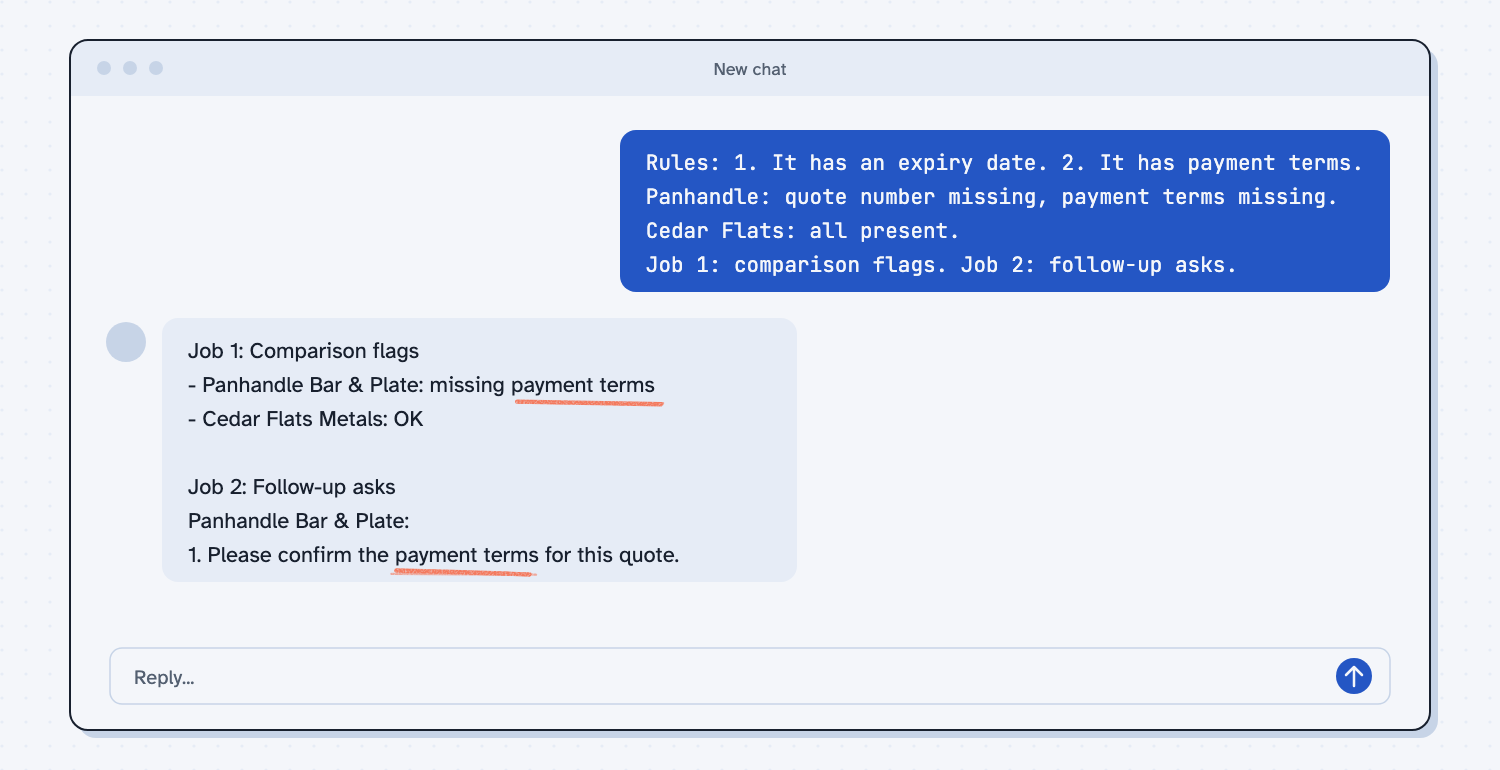
With all three rules, the flags line read "Panhandle Bar & Plate ($4.10/ft): Missing quote number, payment terms," and the asks listed those same two items as questions. With the quote number rule removed, the flags became "Panhandle Bar & Plate: missing payment terms," and the asks shrank to one question about payment terms. The reply even said, "The missing quote number on Panhandle's quote isn't one of your two rules, so I didn't flag it."
Both jobs moved together because they read one list. In a chat this works because you pasted the rules once at the top. In a real report the same thing is done by a script that both reports share.
Frequently asked questions
What does single source of truth mean?
It means a fact or a rule is stored in exactly one place, and everything else reads it from there. When it changes, the change shows up everywhere that uses it, so nothing can fall out of step.
Why can't I just copy the rules into both reports?
You can, and it works until the first change. Then you have to remember to update every copy, and the one you forget will quietly give a different answer.
Does this only apply to scripts?
No. A checklist that two departments share, a price list that sales and purchasing both use, and a template that every email starts from all follow the same idea. Scripts make it easy because one file can feed many reports.
How do I know the two reports still agree?
Open both after any change and look for the same items. In the quote example, every item the comparison page flags should appear as a question in the emails.
Use it today
- Email suppliers about what is missing from their quotes: see how the follow-up script reuses the comparison page's checks.
- Related idea: If a script can do it, use the script.
- Related idea: Ask AI for the tool, not the answer.
- Related idea: Put the answer back in the data, which only works when every report reads the same rules.
From my training: in my quote guides, the follow-up script borrows its checks from the comparison script, so the page and the emails never disagree.